User Guide Version 3.60 I-button
Release: 12_APR_2016 3
Features and Benefits
Import patient and control data from the SQA-V in a large archive.
Import test results on-line.
Attach a sperm image to a consolidated semen analysis report.
View semen samples in "real time" on a PC screen.
Attach video clips of semen samples to patient’s records.
Edit patient files and track changes with built-in traceability feature.
Save, view and graph PATIENT and CONTROL test results.
Set-up SQA-V system defaults.
Customize reports by language, test range, test descriptions.
Access V-Sperm via person/password security.
package includes the following:
User Guide
Installation CD
V-Sperm Security device
RCA video cable
System Requirements
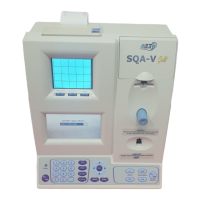
SQA-V with communication cable and power cable
PC / Hardware Requirements
Minimum requirements for V-Sperm software
PC: Intel Core 15 M520 2.4GHz or equivalent
RAM: 4GB
Video card: 3D to support high resolutions 16:10 – 1440X900
Video color: At least 16 bit (65,535)
CD ROM drive
300GB free hard disk space for image capturing (approx. 3000 clips)
Monitor Screen: Color, Wide screen – should support resolution 16:10 or 16:9
(1440X900)
Operating system compatibility: Windows XP and 7; Excel/Word (required
for V-Sperm GOLD)
Communication Ports: Two FREE native RS232 USB; two USB ports
EXCEL and WORD required for export function and printing test reports


 To Next Page