41
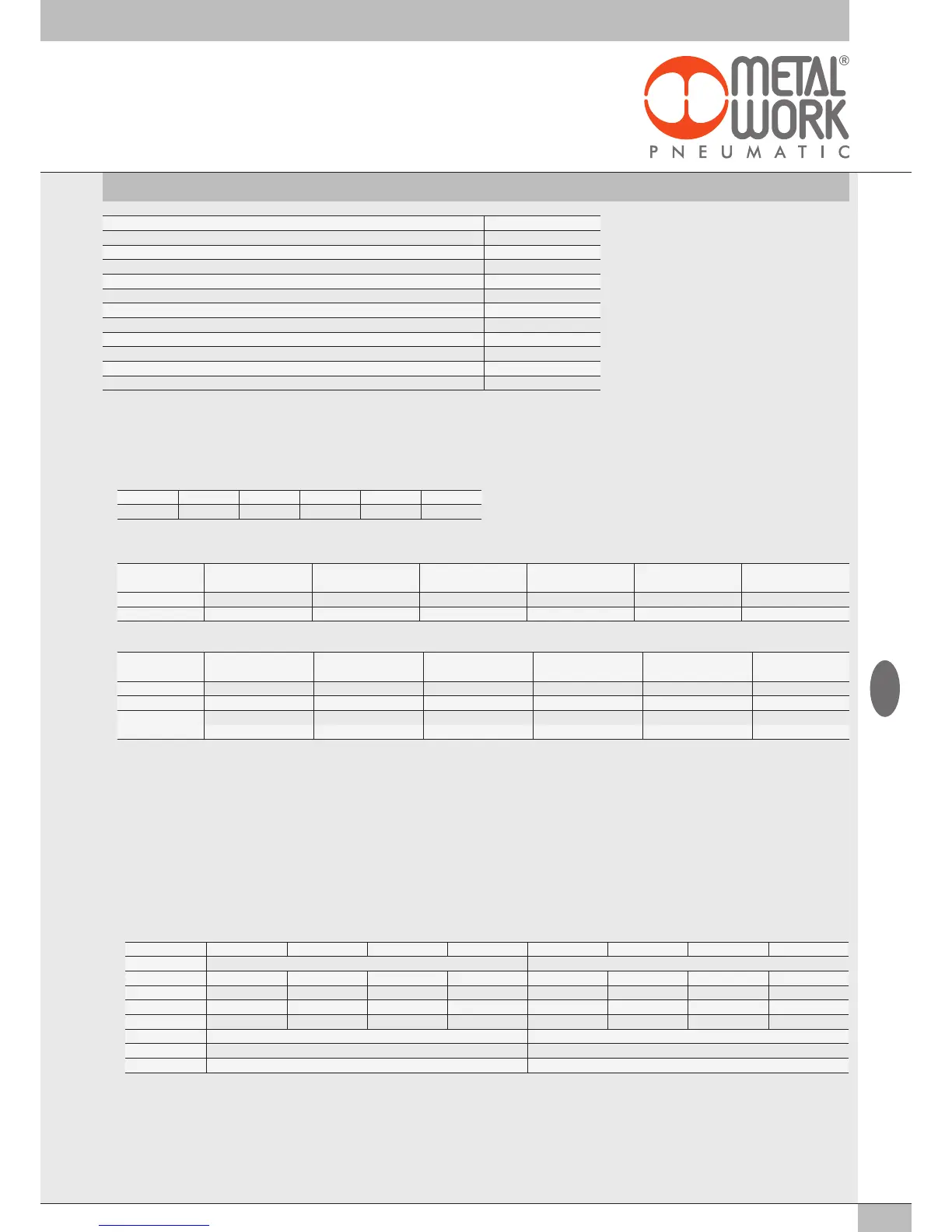
Type Byte
Valve bases Out from 0 to 15
8 digital output signal modules 02282S02 Out from 16 to 31
6 digital output signal modules + power supply
02282
S03 Out
from
32
to
53
Analogue output signal modules
02282
S05 Out
from
54
to
85
16 digital output signal modules 02282S07
Out
from
86
to
101
Diagnostic
In 0
8 digital input signal modules 02282S01
In
from
1
to
16
Analogue input signal modules 02282S04
In
from
17
to
48
Diagnostics EB 80 I4.0
In
from
49
to
96
16 digital input signal modules 02282S06
In
from
97
to
112
Analogue input signal modules for temperature measurement 02282S08
In
from
113
to
144
2.5 CONFIGURING THE EB 80 SYSTEM IN EtherNet/IP NETWORK
Select the header module EB 80 EtherNet/IP from the hardware catalogue of the development system, add it to the configuration and assign it to the
Master. All the output and the input bytes, including the byte indicating the EB 80 system diagnostic state, are assigned to the device.
2.5.1 Assigning data bits to solenoid valve base outputs
bit 0 bit 1 bit 2 bit 3 ... bit 128
Out 1 Out 2 Out 3 Out 4 ... Out 128
2.5.2 Examples of solenoid pilot output addresses
Base for 3- or 4-control valves – Only valves with one solenoid pilot can be installed.
Valve type
Valve with
1 solenoid pilot
Valve with
1 solenoid pilot
Dummy or
bypass valve
Valve with
1 solenoid pilot
Dummy or
bypass valve
Valve with
1 solenoid pilot
1 solenoid pilot 14 14 - 14 - 14
Output Out 1 Out 2 Out 3 Out 4 Out 5 Out 6
Base for 6- or 8-control valves - One or two solenoid pilots can be installed.
Valve type
Valve with
2 solenoid pilots
Valve with
1 solenoid pilot
Dummy or
bypass valve
Valve with
1 solenoid pilot
Dummy or
bypass valve
Valve with
2 solenoid pilots
1 solenoid pilot 14 14 - 14 - 14
2 solenoid pilot 12 - - - - 12
Output
Out 1 Out 3 Out 5 Out 7 Out 9 Out 11
Out 2 Out 4 Out 6 Out 8 Out 10 Out 12
Each base occupies all the positions. The control of non-connected outputs generates an interrupted solenoid pilot alarm.
2.5.3 Configuring the parameters of the unit – Params 11 Fail Safe
This function can be used to determine the state of digital and analogue output solenoid pilots When the communication with the Master is interrupted.
For the pneumatic model, three different modes can be selected in parameter – Format Connection:
•
Reset (default), all the solenoid pilots are disabled.
• Hold Last State, all the solenoid pilots remain at the state they found themselves when communication with the Master was interrupted.
•
Output Fault mode, the behaviour of each pilot can be selected from among three modes available in the corresponding Parameter object
008 - 128 coils.
- Value = 0
hold Last State, the solenoid pilot remains at the state it found itself when communication with the
Master
was interrupted;
- Value = 1
output Reset (default), the solenoid pilot is disabled;
- Value = 2
output Set, the solenoid pilot activates when communication with the
Master
is interrupted.
Example: a pneumatic module with 8 solenoid pilots, in case of failed communication with the Master, the first 4 are enabled, the other 4 are disabled.
On restoring communication, the master resumes management of the valve solenoid pilot status.
The master must manage events appropriately to prevent uncontrolled movements.
No. of outputs Out 4 Out 3 Out2 Out1 Out 8 Out 7 Out 6 Out 5
Byte 1 2
bit 7 - 6 5 - 4 3 - 2 1 - 0 7 - 6 5 - 4 3 - 2 1 - 0
Fault mode
Set Set Set Set Reset Reset Reset Reset
Value
2 2 2 2 1 1 1 1
bit
10 10 10 10 01 01 01 01
Byte
10101010 01010101
DEC
170 85
Settings
PAR 1 Fail Safe Coil 1 - 4 = 170 PAR 2 Fail Safe Coil 5 - 8 = 85
GB


 To Next Page