3 GETTING STARTED WP4C
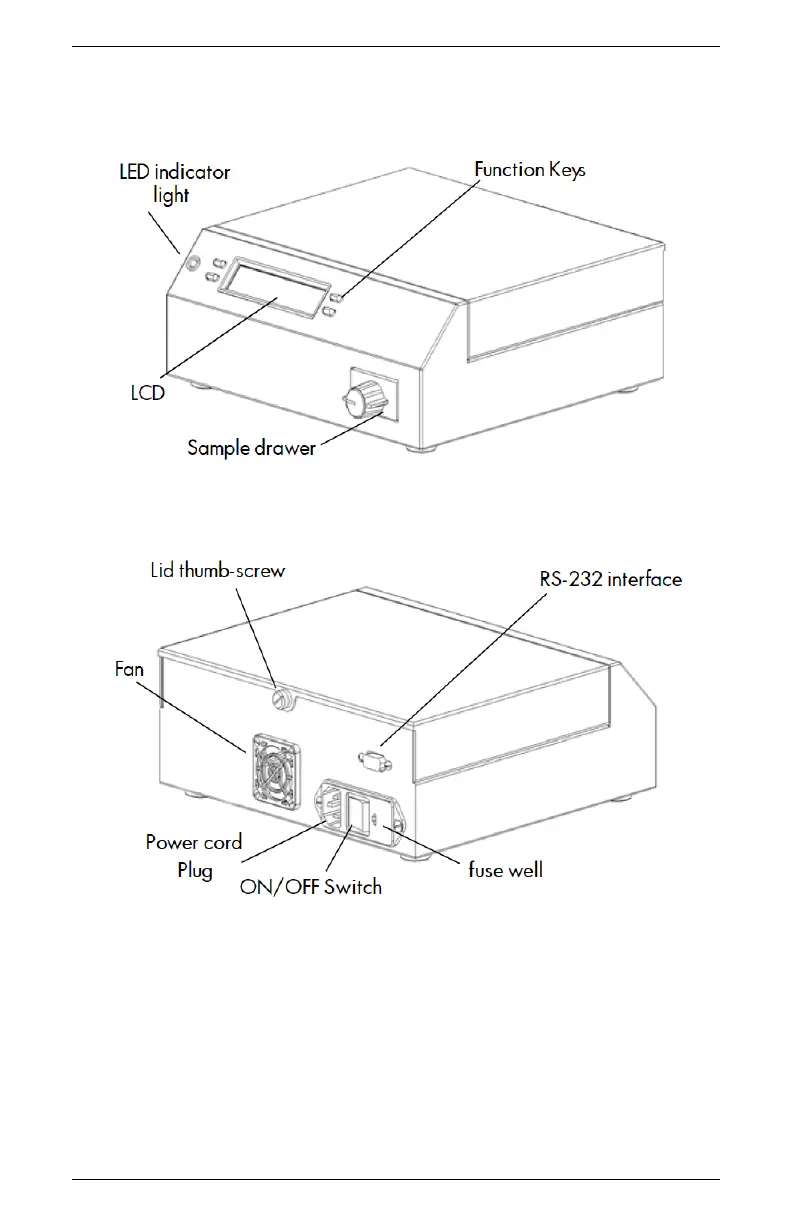
3.3 Features
Figure 1: Front View of WP4C
Figure 2: Back View of WP4C
3.4 Preparing the WP4C for Operation
After finding a good location for your WP4C, plug the power cord
into the back of the unit. Before turning it on, pull open the sample
drawer (turn the knob to the OPEN/LOAD position). You usually
place an empty disposable sample cup upside-down in the drawer to
8



 To Next Page