4 THE MENUS WP4C
4.2 System Configuration
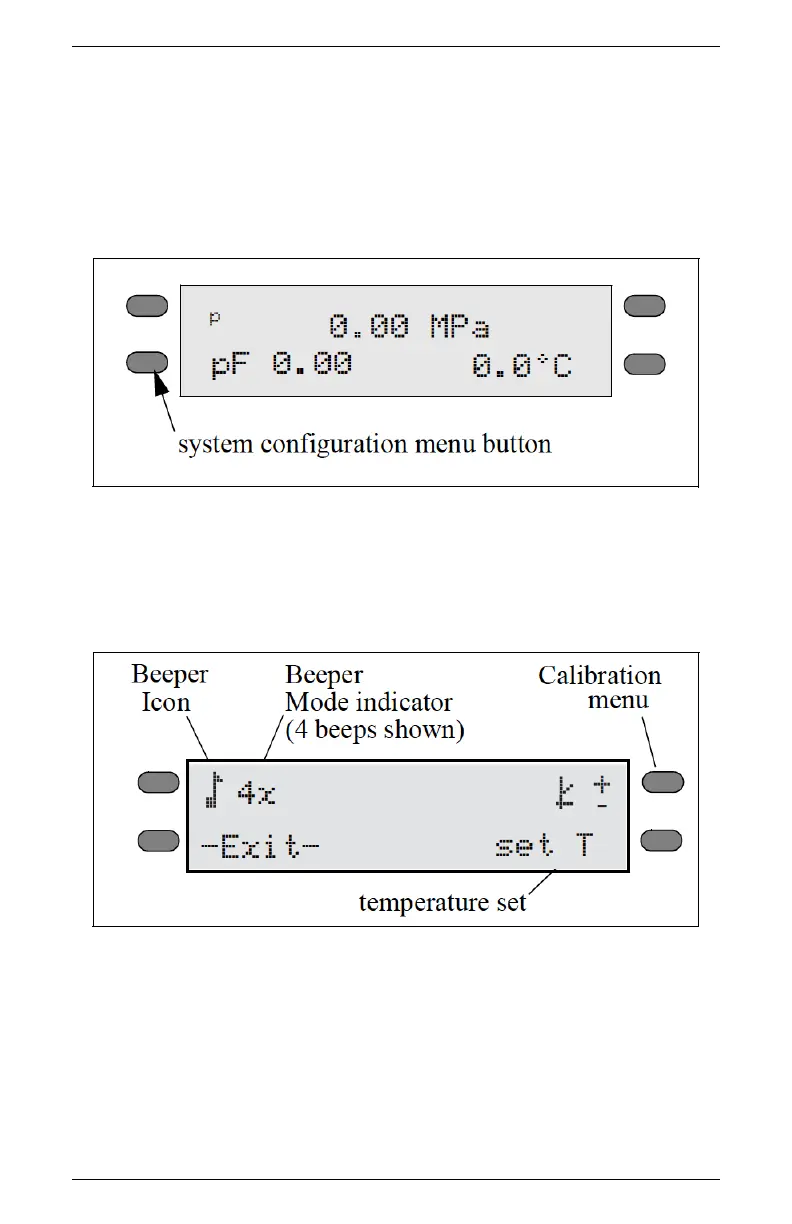
If you press the bottom left button while in the Main menu, it will
bring you to the System Configuration menu. This menu allows you
to make minor system changes.(Figure 5 and 6)
Figure 5: Main Menu Buttons
You can change how the beeper signals after each reading and enter
the calibration menu as well.
Figure 6: System Configuration Menu
Changing the Beeper
When you are reading, the WP4C has two ways of notifying you
when it completes the water potential reading for your sample. It
will notify you with the beeper he beeper and a flashing green LED,
14



 To Next Page