WP4C 4 THE MENUS
located on the left front corner of the WP4C case. In fast and pre-
cise reading modes, the LED will flash once when a sample is started.
When it is finished the LED will flash continuously until the knob is
moved to the OPEN/LOAD position (if not operating in continuous
mode). You cannot turn off or change the LED flashing functions.
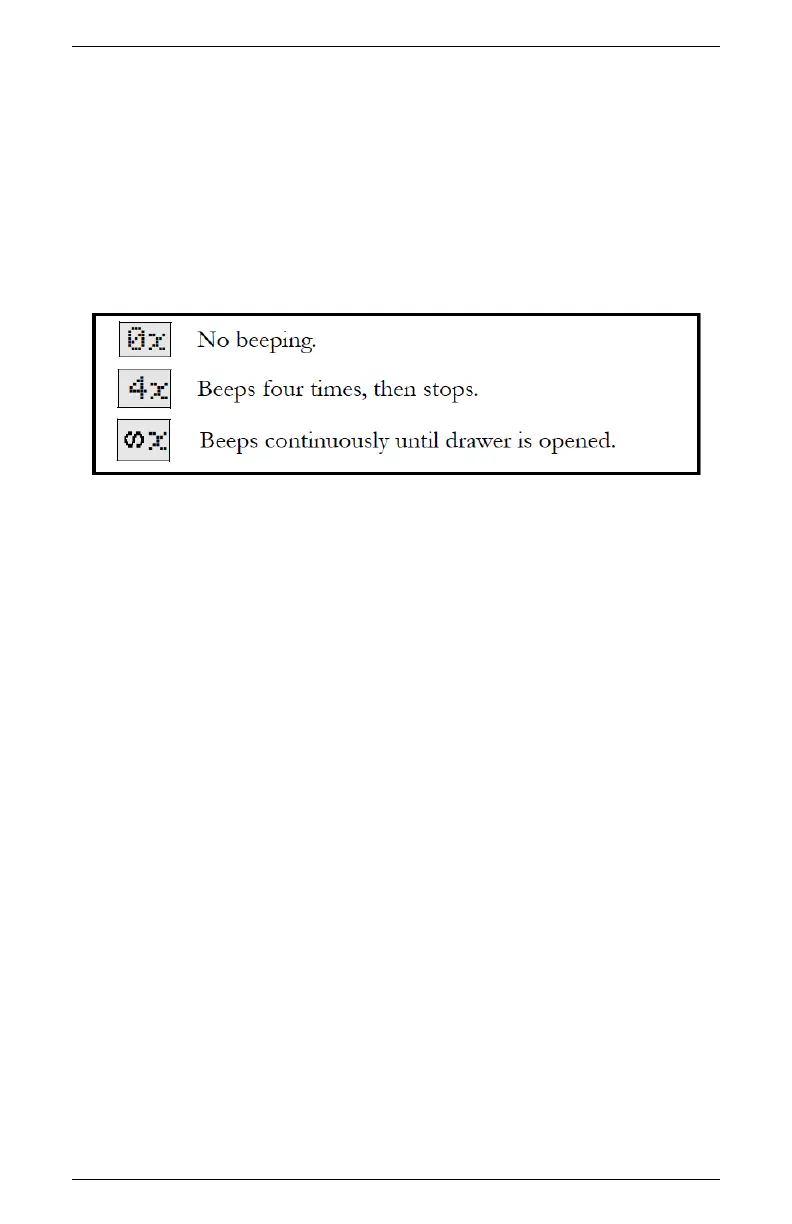
Three different icons represent the three beeper options.(Figure 7)
Figure 7: Definition of Beeper Icons
you can turn the beeper off completely, set it to beep momentarily
(four times) when the sample is finished and then stop, or to beep
continuously until you turn the knob to the OPEN/LOAD position.
After you have adjusted the beeper setting, it will remain as you have
set it until you change it again, and will not be affected by turning
the instrument on or off.
EXIT
You may press the Exit button (the lower left button) to exit back
to the main menu at any time.
Adjusting Calibration
When you need to adjust calibration, press the upper right button
in the System Configuration menu, and you will be brought to the
Calibration menu. For more details on calibration and how to verify
it, please refer to the Calibration and Verification chapter.
Setting the Temperature
15



 To Next Page