WP4C 5 CALIBRATION AND VERIFICATION
Note: The WP4C will automatically shift to precise sampling
mode for the verification/calibration.
The reading should be within ±0.05 MPa of the correct reading
of the KCl standard at that temperature. At 20
◦
C this should
be −2.19 MPa. At 25
◦
C this should be −2.22 MPa.
• If your WP4C is reading within 0.05 MPa of the KCl solution,
press Exit and proceed with reading. If it is not, a change in
calibration may have occurred, or the sensor chamber may be
contaminated. For cleaning instructions, see Chapter 10. After
cleaning, repeat these instructions.
• If, after cleaning, you consistently get readings that differ from
the correct water potential of the KCl by more than ±0.05
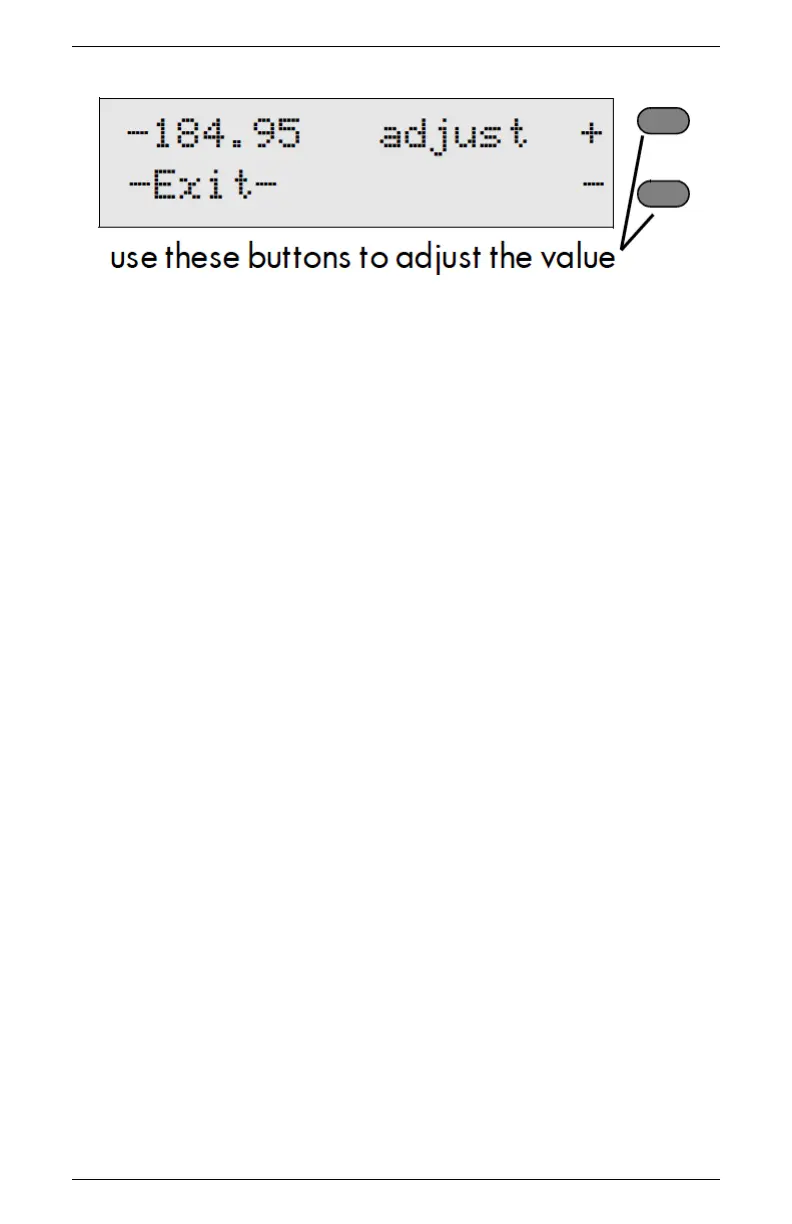
MPa, a change in calibration has probably occurred. Press the
upper right button to move the value up, the lower right but-
ton to move it down. When it is at the correct value for the
verification standard, press the Exit button. The value will be
stored.
Note: This is the only menu where these buttons can change
the calibration, so you will not hurt anything by pressing these
buttons in other menus.
• Read the KCl standard again in the normal reading mode. It
should read the proper value.
• If after adjusting the calibration and cleaning the chamber you
still are getting incorrect readings when reading the KCl, con-
tact METER at 509-332-5600 for further instructions.
21



 To Next Page