WP4C 11 TROUBLESHOOTING
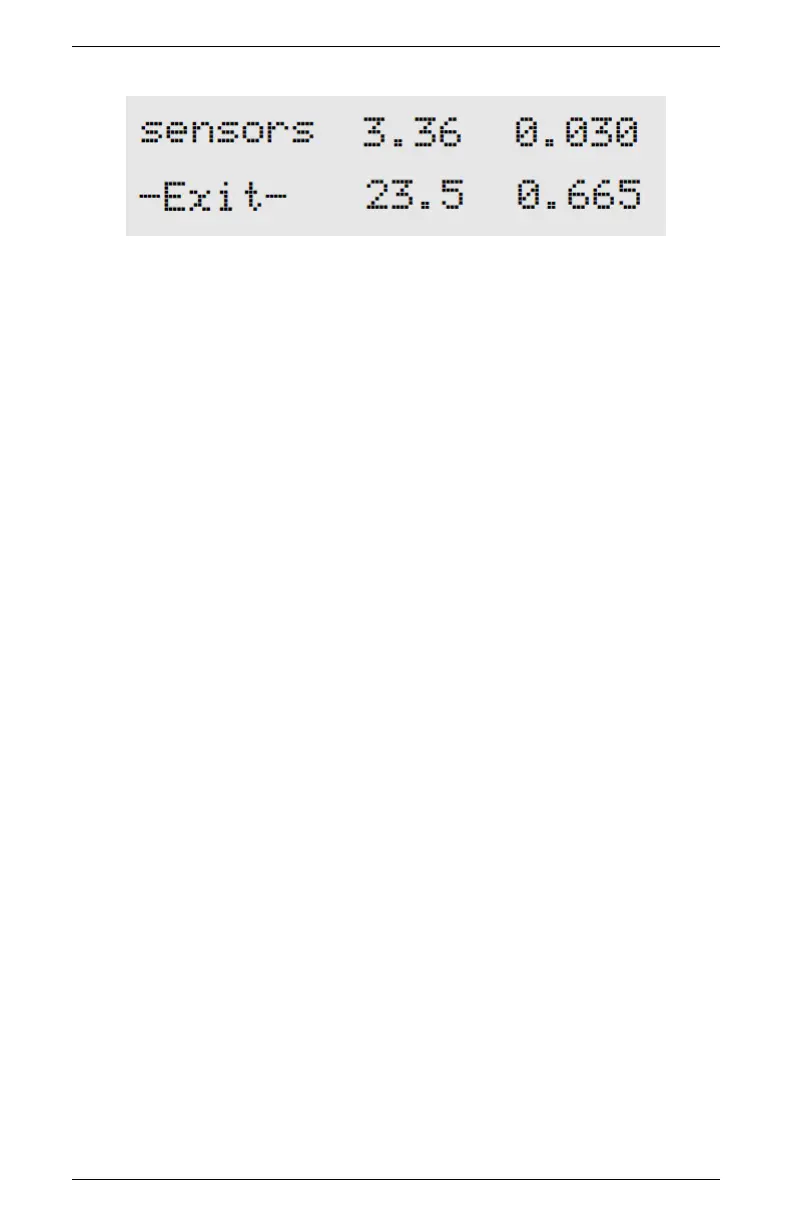
The Performance Evaluation screen gives you four values. The top
left value is the value the thermocouple is reading. It is basically the
difference in temperature between the block and the mirror. If this
is zero, there is something wrong with the thermocouple. The top
right value is the value read by the thermopile, which is the temper-
ature difference between the block and what it “sees” below it (the
sample, when reading). This value is variable, but should never be
zero. The bottom left value is the block temperature. This value
should be around ambient temperature.
The bottom right value is the mirror reflectance voltage, in units
of volts. This value should normally be around 0.5 or above, but if
it drops below 0.3, there is something wrong.
You cannot change anything in this screen, but it will indicate com-
ponent performance. If you notice that any of these values are not
what they should be, contact METER at support.environment@metergroup.com
for further instruction. Press the button next to Exit to get back to
the main menu.
45



 To Next Page