16
SYSTEM
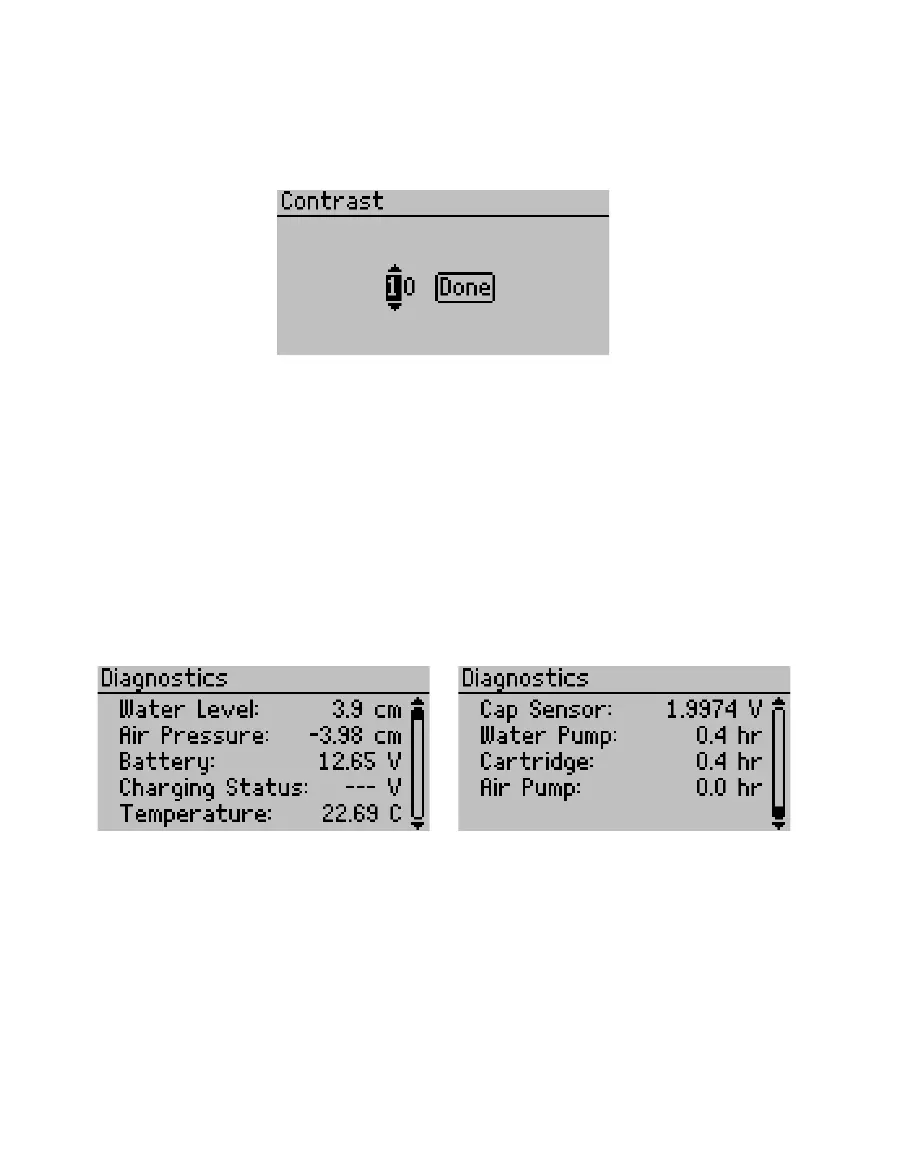
• Contrast. Change the screen lighting contrast settings (Figure23).
Select the Contrast option on the Configuration tab. Use the directional buttons to change
the contrast to any value from 00–25. Use RIGHT and LEFT to highlight Done and press Enter
to save the new contrast setting. Press BACK to exit without savingchanges.
Figure23 Editing Contrast option
• Diagnostics. Shows all the current readings from the instrument: water level (the current
water level above the soil); air pressure (pressure in the head space of the infiltrometer
assembly); battery (current battery voltage); charging status (observed voltage from
charging power supply); temperature (internal temperature of the control unit); and cap
sensor (measured voltage of the cap sensor, which is proportional to the humidity within
the control unit) (Figure24).
The Diagnostics option also tracks the usage information for the water pump , cartridge,
and air pump to track when parts need to be replaced. This screen provides valuable
information for maintenance and troubleshooting (Section 4.2). No changes can be made in
this screen.
Press BACK to return to the previous menu.
Figure24 Viewing the Diagnostics option



 To Next Page