MI 3205 TeraOhm XA 5kV Main menu
23
4.3 Memory menu
Measurement result with all relevant parameters can be stored into the instrument’s
memory. The instrument’s memory space is divided into 3 levels: OBJECT, DUT and
LINE. The OBJECT, DUT and LINE level can contain up to 199 locations.
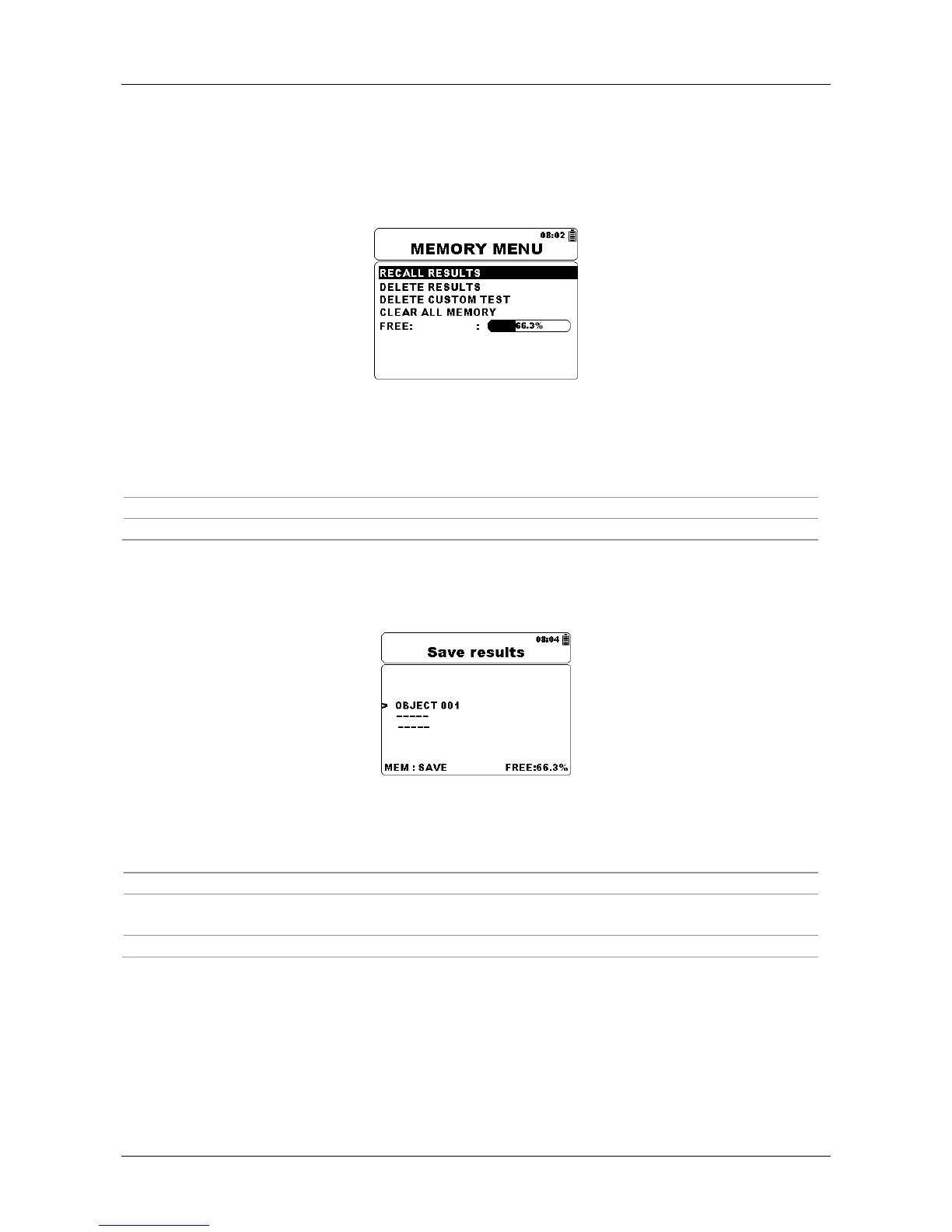
Figure 4.4: Memory Menu
Keys:
Select one of the following items.
SELECT
Confirms selection.
ESC
Returns to the Main menu.
4.3.1 Saving results
After the completion of a test, the results and parameters are ready for storing. By
pressing the MEM key the user can enter storing menu.
Figure 4.5: Storing Menu
Keys:
Selects OBJECT, DUT and LINE number.
Jump to a different location.
MEM
Saves measurement result to selected location and returns to the
Measurement result screen.
ESC
Returns to the Measurement result screen without save.
The instrument will beep in order to indicate that result is successfully saved into the
memory.
Note:
Every stored test result also includes date and time stamp (dd:mm:yyyy, hh:mm).














 To Next Page