MI 3205 TeraOhm XA 5kV Measurements
47
5.8 Step Voltage testing
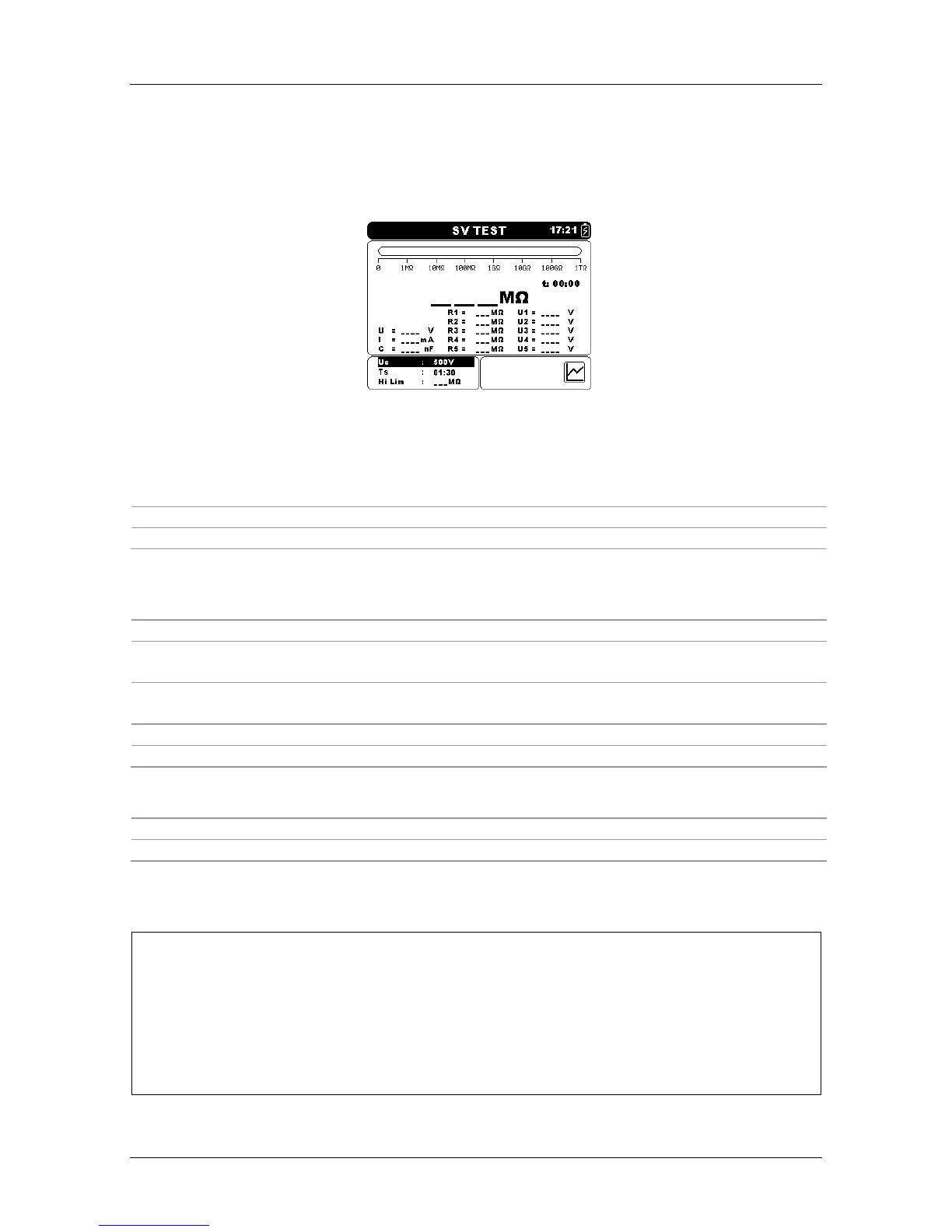
In this test, the insulation is measured in five equal time periods with test voltages from
one fifth of the final test voltage up to full scale (Figure 5.17). This function illustrates the
relationship of a materials Insulation resistance and its applied voltage.
Figure 5.17: Step Voltage Test menu
Test parameters for Step Voltage Test
Un
Set test voltage – step 50 V (50 V – 1 kV) and 100 V (1 kV – 5 kV).
Timer1
Duration of measurement (mm:ss) – step 1 s (max time 99 min).
AVG
Additional averaging of the result value (OFF, 5, 10, 30, 60).
Keys:
Selects the field to be changed.
Modifies selected field.
SELECT
Toggles between graph view and results view. (Graph must be
enabled in the Settings menu).
MEM
Enters Save custom test menu.
Saves results (if present).
START/STOP
Start or Stop the Step Voltage test.
ESC
Exits to Measurements menu.
Keys in graph screen – measurement completed:
Scroll the cursor along displayed graph data.
Cursors on / off.
Step Voltage test procedure:
Select the Step Voltage Test function.
Set the test parameters (voltage, timer …).
Connect the test leads to the instrument and to the test object.
Press the START/STOP key to start the measurement.
Press SELECT key to toggle between graph view and result view (optional).
Wait for the set timers to run out.
Wait for the object under test to discharge.
Store the result by pressing MEM key (optional).














 To Next Page