■■■■■■■■■■■■■■■■■■■■■■
3 Installation
912/913/914 Meter
■■■■■■■■
17
NOTICE
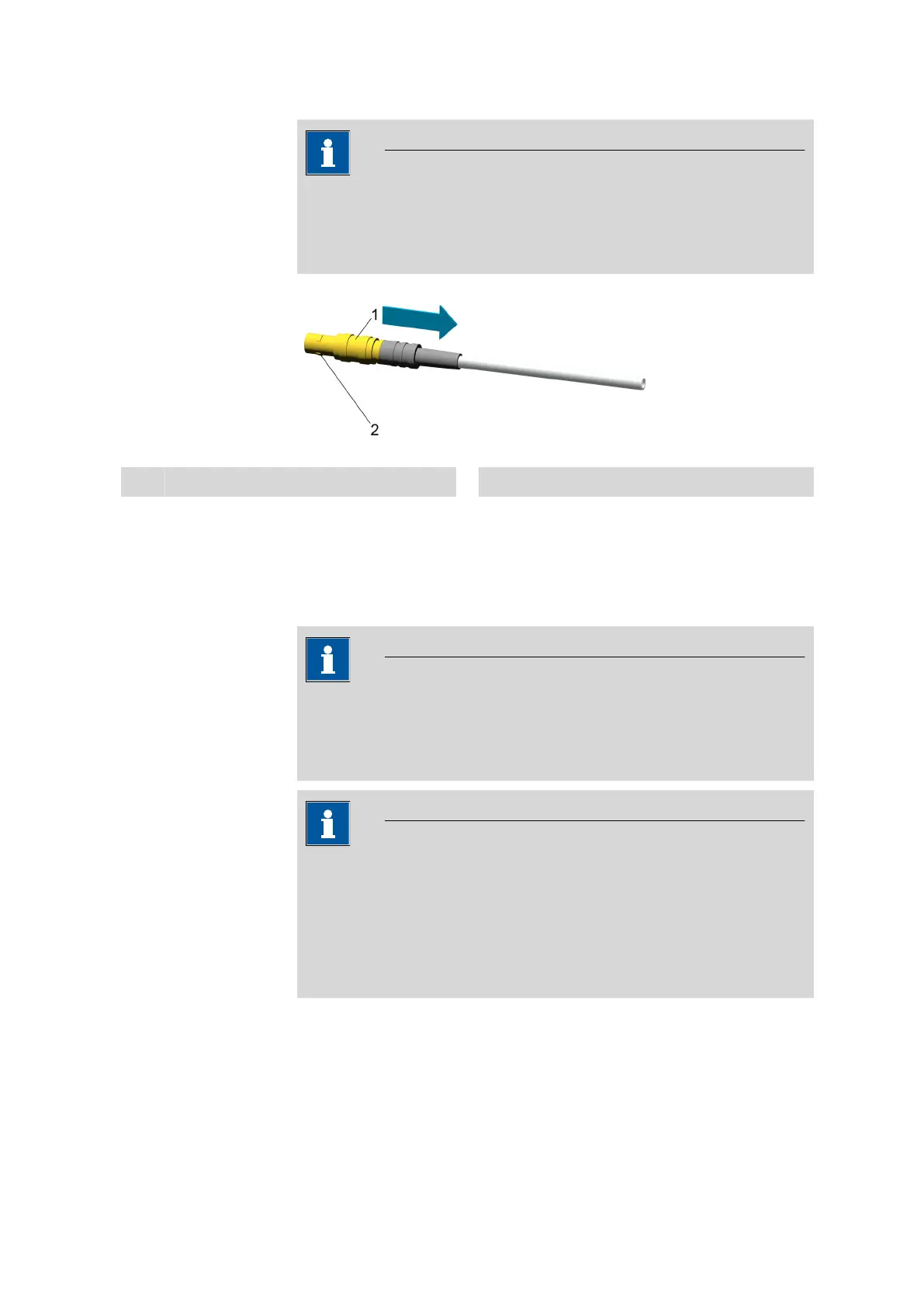
Sensor cable with HF plug
Cables with an HF plug feature a connector lock and can only be
unplugged via the grooved plug sleeve (see figure below).
1
Plug sleeve
2
Connector lock
3.5 Connecting a printer
Printers for report output are connected with the USB Y cable
(6.2151.140).
NOTICE
Printer function
The connected printer will only work if the 912/913/914 Meter is
connected to the power grid with the power supply unit.
NOTICE
Measuring signal interference
Inappropriate power supply units of a printer interfere with the measur-
ing signal.
■ With the Metrohm USB printer "Custom" there is no interference.
■ Only use printers with a grounded power supply unit.












 To Next Page