4.5 Basic operation
■■■■■■■■■■■■■■■■■■■■■■
32
■■■■■■■■
912/913/914 Meter
4.5.4 Menu dialog
The further menu structures, editing dialogs and selection dialogs can be
selected in the menu dialog.
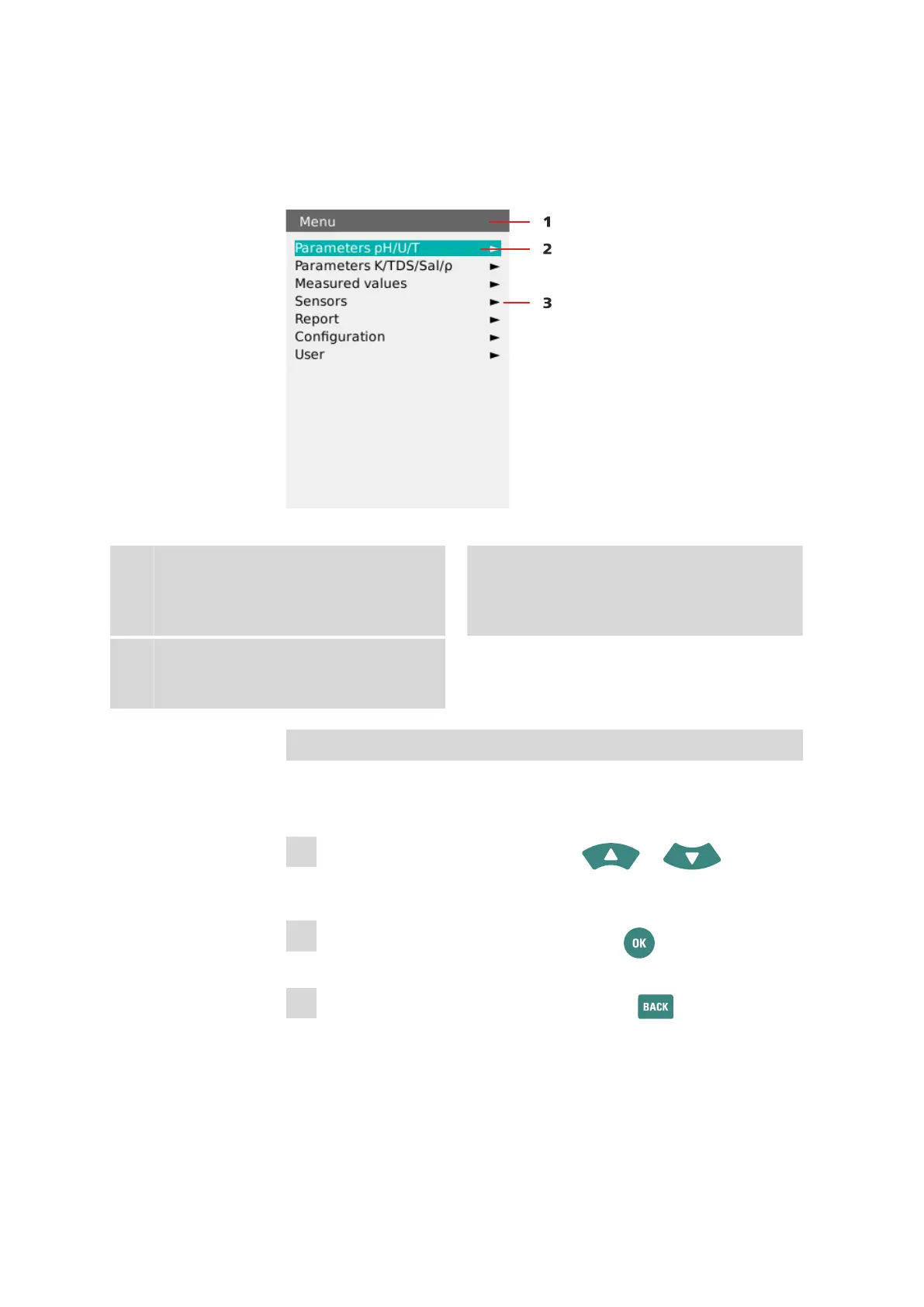
Figure 16 Operation - menu dialog
1
Menu title
The menu title indicates which menu struc-
ture is currently open.
2
Menu line selected
The selected menu line is always displayed in
the color Metrohm green and in inversed
text.
3
Arrow icon
The arrow icon indicates that there are fur-
ther substructures.
Navigation in the menu structures
You can access the menu structures via the Menu item (15-2) in the main
dialog.
1
Select the desired menu line with the or arrow
keys.
2
Change into the next substructure with the key.
3
Change back to the higher structure with the key.












 To Next Page