■■■■■■■■■■■■■■■■■■■■■■
4 Operation
912/913/914 Meter
■■■■■■■■
33
4.5.5 Editing dialog
The entries can be created and edited again in the editing dialog.
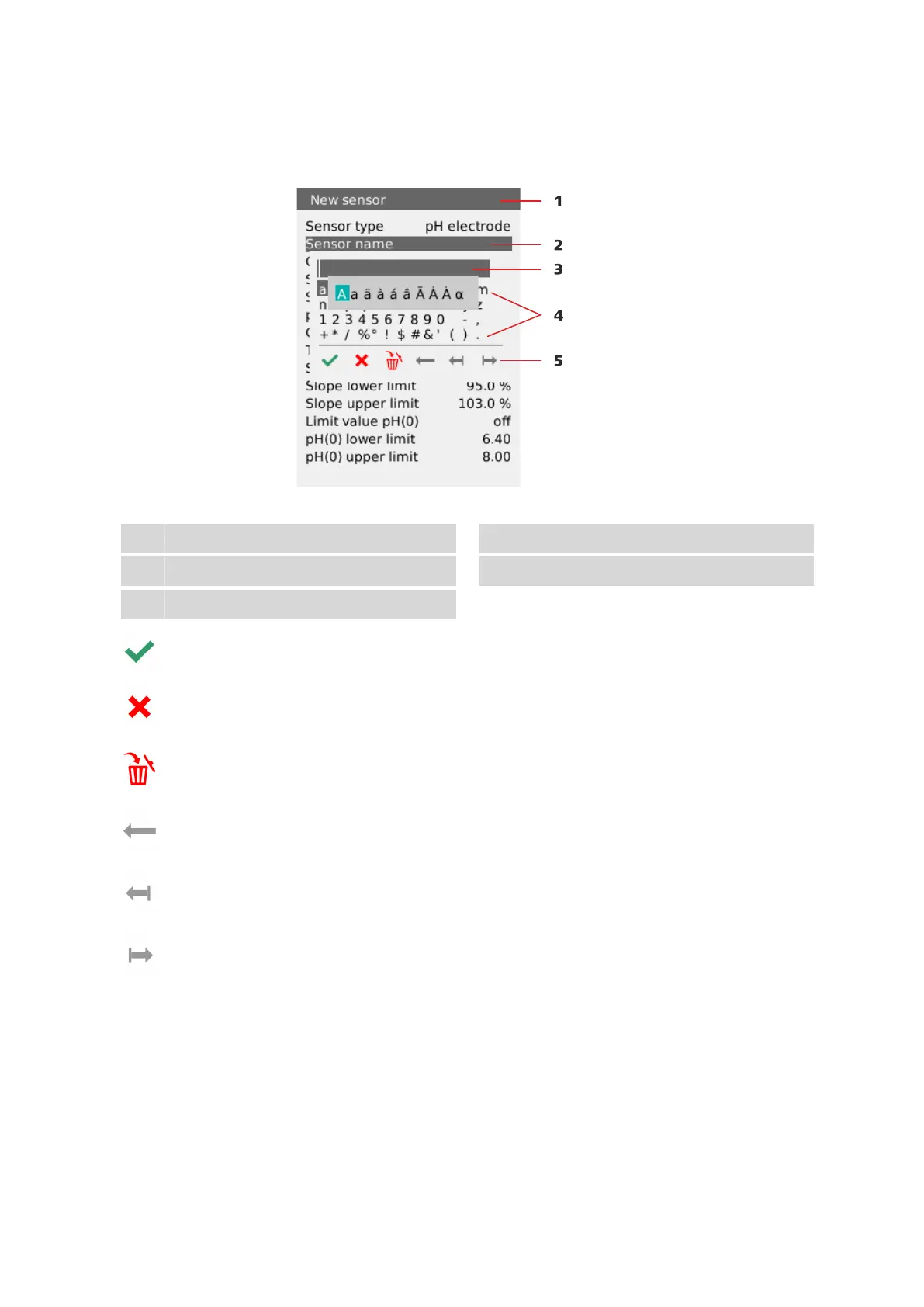
Figure 17 Operation - editing dialog
1
Menu title
2
Menu line
3
Data field
4
Selectable characters
5
Function elements
The data entry is accepted with the Entry editing element.
The editing dialog is closed without changing the existing data value with
the Cancel editing element.
The entire contents of the data field are deleted and a new data value can
be entered with the Delete all editing element.
The character to the left of the cursor is deleted in the data field with the
Backspace editing element.
The cursor moves one space to the left in the data field with the One
space to the left editing element.
The cursor moves one space to the right in the data field with the One
space to the right editing element.












 To Next Page