10. Real Time Note Record
With the sequencer running and instruments
being triggered, these events are being
recorded or can be triggered by MIDI notes.
11. MIDI Learn:
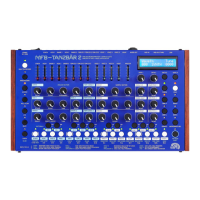
With this mode being selected, Tanzbär
expects a MIDI note for each instrument.
The note number and the corresponding MIDI
channel are saved. After receiving all
notes Tanzbär exits this mode
automatically.
12. MIDI Clock Setup
The transmission and reception of MIDI data
is turned on and off here. To confirm press
Select. If Shift is pressed additionally,
the entry is only valid for the current
session. If the unit is turned on again, it
will be set to the same mode it was set
before the last session.
13. MIDI Notes Transmit
MIDI-triggers can be sent to the
drum tracks.
MIDI notes transmit is turned on and
off by Data3 key.
If the Shift key is pressed, the settings
are only saved for the current session.
Press Select to save the settings
permanently.


 To Next Page