MFJ-269C Instruction Manual LF/HF/VHF/UHF SWR Analyzer
27
VELOCITY FACTOR?
VF= 0.70
Note
: If you know the true electrical length in feet, set Vf to VF=1.0 and enter the Electrical Length in
feet.
3. Press Mode, and a display showing Length in Feet and Length in Degrees will appear.
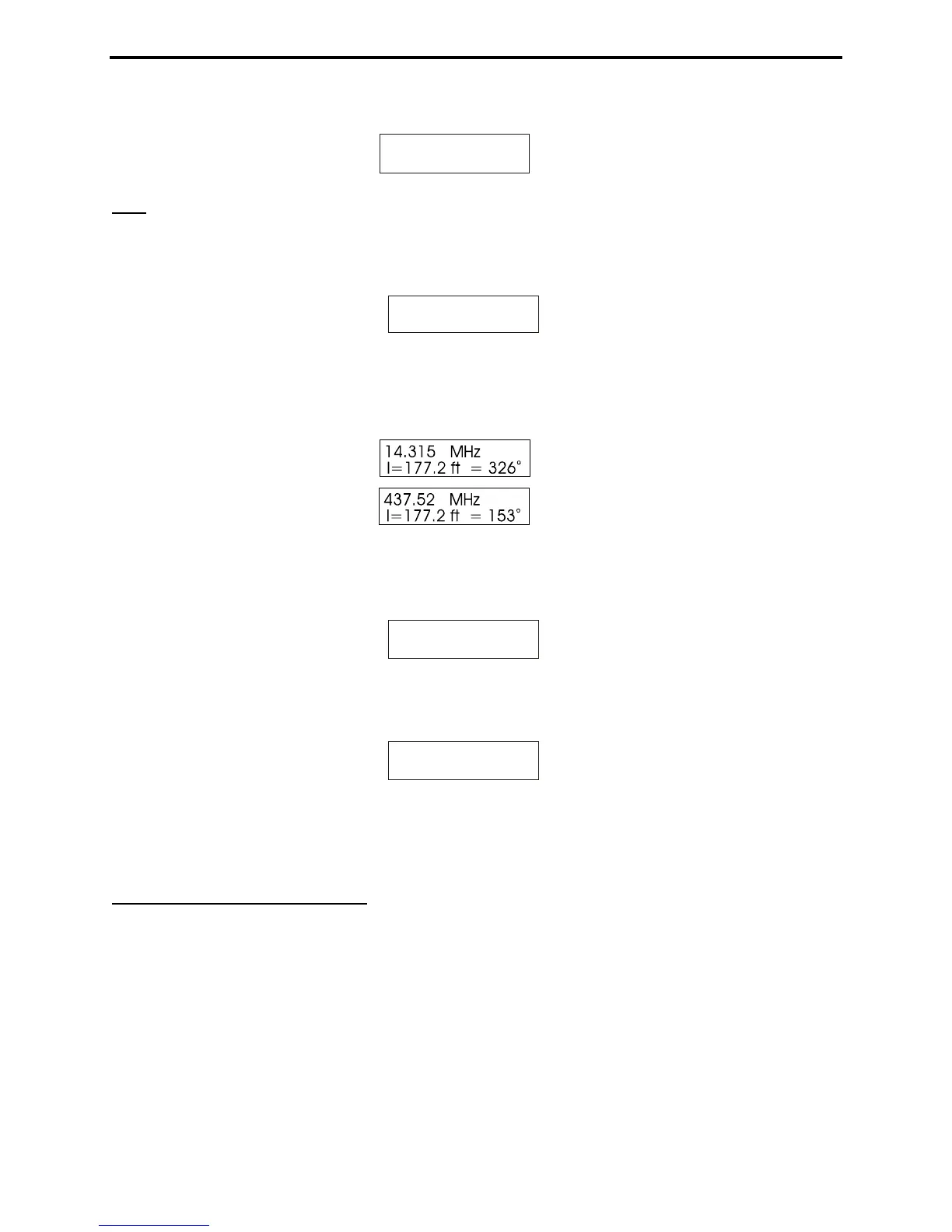
14.315 MHz
L=100.0 ft= 73
o
4. The display now shows the Electrical Degrees for the entered line length (default is 100 feet) at the Vf
you entered in step 1. By adjusting the Frequency and Tune controls, the analyzer will recalculate the
results for any frequency you wish (see sample screens below):
5. Pressing Mode again takes the display to section 5.5.3.2. Pressing Gate takes the display to a Line
Length adjustment function.
Line length
l = 100.0 ft
6. To increase line length, press the Gate. To decrease line length, press Mode. When the desired length
appears, simultaneously press and hold Gate and Mode to lock it in. The display will now change to:
Line length
l = 67.2. ft
7. Pressing Mode switches the display to Length in Feet for the degrees programmed in at the selected
Vf.
5.5.3.2 Line Length in Feet
This mode displays the length in feet required to obtain a certain number of electrical degrees for the
velocity factor (Vf) and Frequency selected. It is useful for determining the Physical Length required
for matching sections, phasing lines, or antennas if the velocity of propagation, electrical length required,
and frequency are known.
This mode is useful for calculating the required length in feet of matching sections and phasing lines if
you know the required variables, velocity factor and electrical degrees. The analyzer can also directly
measure and display length using the distance to fault mode (see section 5.5.1 for HF/VHF).



 To Next Page