MFJ-269C Instruction Manual LF/HF/VHF/UHF SWR Analyzer
28
If this mode is entered after using distance to fault (see section 5.5.1), VF and length will be programmed
automatically using distance to fault data. The physical or electrical length of the line can also be
programmed manually. If a length is not programmed, a default length of 360 degrees is selected
automatically.
1. Simultaneously press and hold Gate and Mode buttons until Advanced-2 appears. The display will
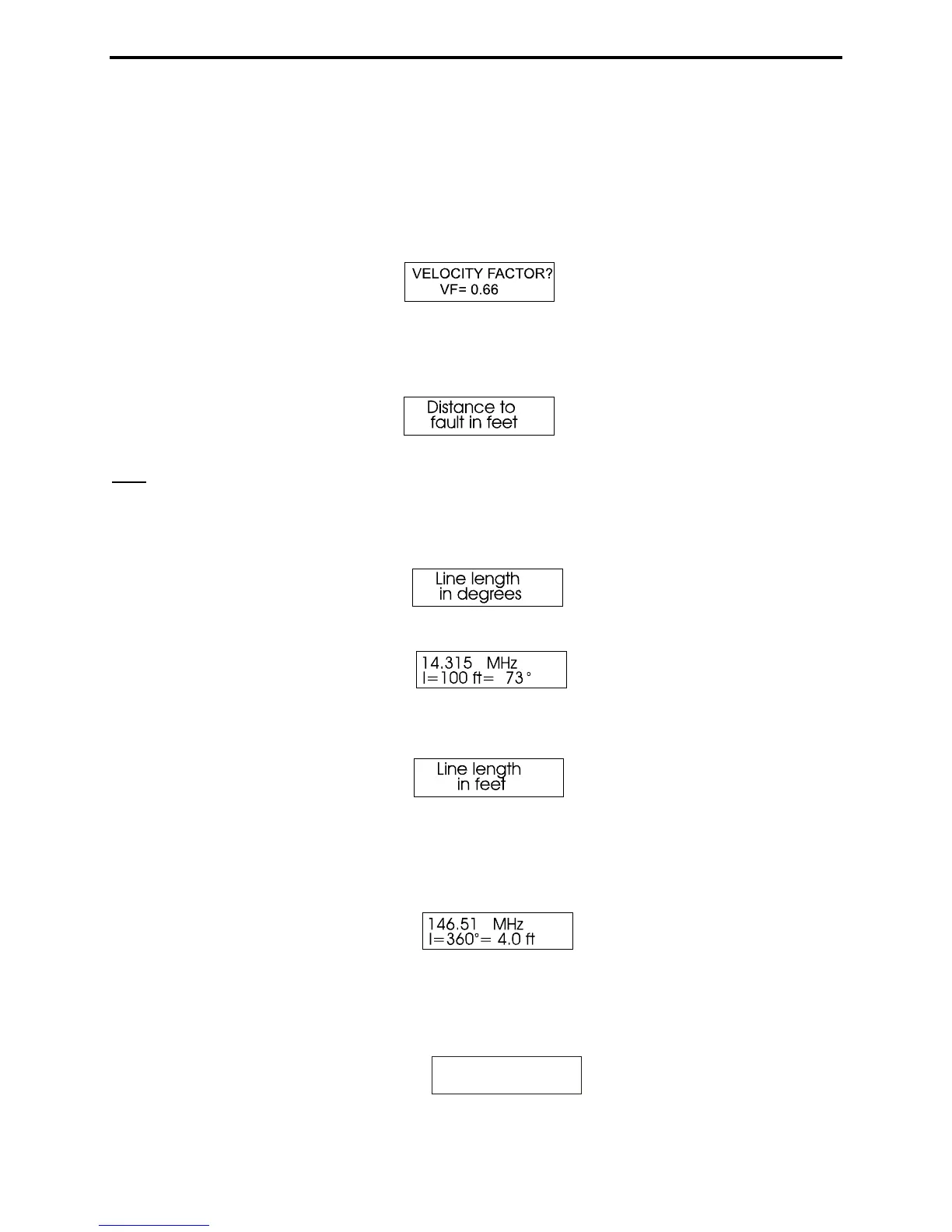
show the default Vf (0.66):
2. Set Vf to the desired value (Gate to increases, Mode to decrease). Then, simultaneously press and
hold Gate and Mode to lock it in. The Distance to Fault screen will appear.
Note: If you know the true electrical length in degrees, set velocity factor to VF=1.0 and enter the
electrical length in degrees as indicated in step 5.
3. Press and release the Mode button. The display will flash Line Length in Degrees.
After a moment, the display changes to (sample screen):
4. Press Mode again. The Line Length in Feet screen appears:
5. It then quickly changes to the data screen showing Line Length for the electrical degrees entered
(default is 360 degrees) for the velocity factor entered in step 1. Adjust Frequency, and the analyzer
will recalculate the correct length for any frequency desired (sample screen):
6. Pressing Mode shifts the display back to the Velocity Factor adjustment screen in step 2. Pressing
Gate takes the display to a Line Length adjustment function that allows you to change the length in
degrees.
Line length
l = 360
o



 To Next Page