AirConditioningandAudioSystems
PairingfromMobilePhone
EnablethesystemBluetoothfunction,requestthe
connectionfrommobilephoneforpairingwiththemobile
phone.
1EnableBluetoothfunctiononthemobilephoneand
searchtheentertainmentsystemtopair.
2ThemobilephonewillreceivetheBluetoothpairing
requestsentbytheentertainmentsystem.
3Afterthepairingiscompleted,themessageprompting
connectioncompletionappears.Ifthepairingfails,
pleaserepeattheprocedure.
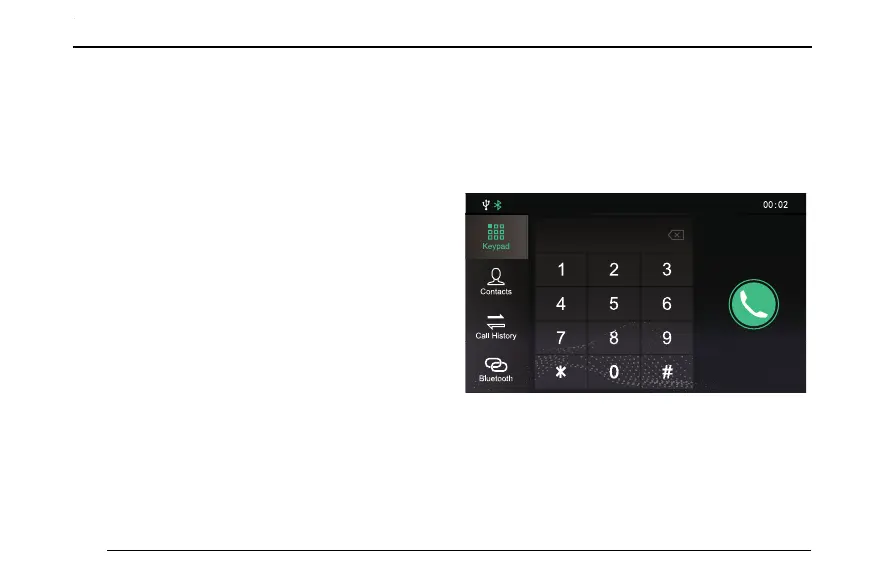
PhoneMenu
T ouch[Bluetooth](themobilephoneBluetoothis
connectedbydefault,andthemobilephonenameortype
willbedisplayedatthemoment.)inthemaininterface
toentertheBluetoothphonemenu,includingKeypad,
Contacts,CallHistoryandBluetooth.
B lu e t o o t h
K e y p a d
C o n t a c t s
C a ll H is to r y
100



 To Next Page