34007115EN/AA - Page 15
2. Installation
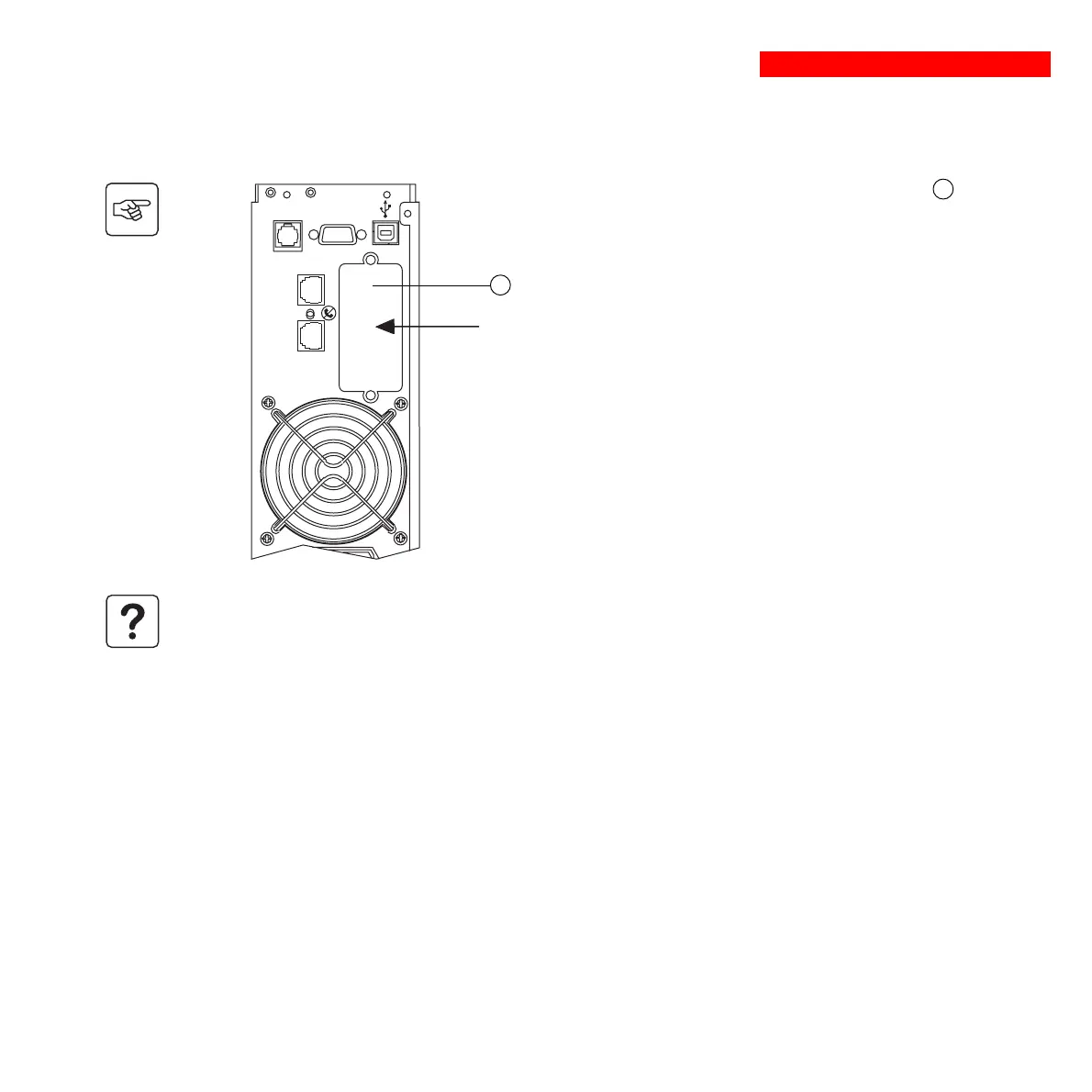
2.7 Installation of the communications-card option
1 - Remove the slot cover 5 secured by
two screws.
2 - Insert the card in the slot.
3 - Secure the cover with the two screws.
Slot for the communications-card
option.
5
IN OUT
TO BATTERY
CABINET
DATA LINE PROTECTION
RS232
It is not necessary to shut down the UPS to install the communications card.





 To Next Page