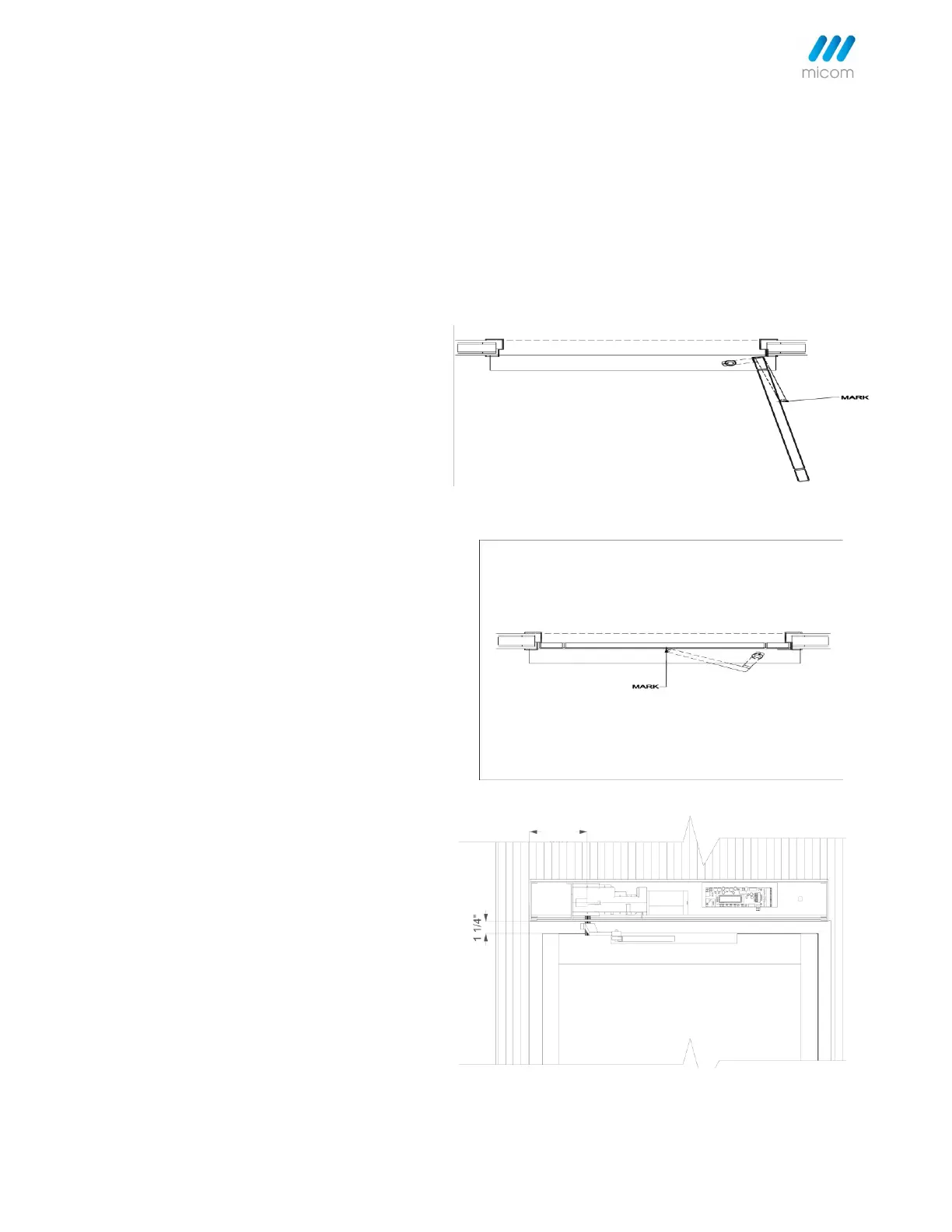
6.2 Pull Standard Angle Arm With Track for 0" to 4" Reveals
Notes: Operator to be mounted so that base of drive shaft is clear above the door top. See Installation Drawings. A solid
spacer material or filler may be required to compensate for any gap between the back of base rail and wall. Ensure,
before fixing base rail to the door frame, that access holes for power supply cables are in line, if required.
Step 1. Without PULL arm fitted, set 3-position switch to Hold Open (II). The drive shaft will turn fully until hitting the
in-built fixed doorstop, so charging the spring.
Step 2. Manually open the door to
full Step 2. Manually open the door to
full open (approx. 100 open position).
Fit PULL arm to the drive shaft at the full
open position so the roller touches the
door.
Mark the open position where roller
touches the door.
Step 3. Set 3-position switch to manual
(0) and allow the door to close under
spring power.
Mark the closed position where the
roller touches the door.
Step 4. Position slide track horizontally
within 1st and 2nd mark, then fix it to
the door.
Slide the roller along the channel,
followed by fitting end caps.
Step 5. Turn 3-position switch to automatic (I).
Press Test/Learn button to begin the learning cycle.
See Learning Door Cycle.



 To Next Page