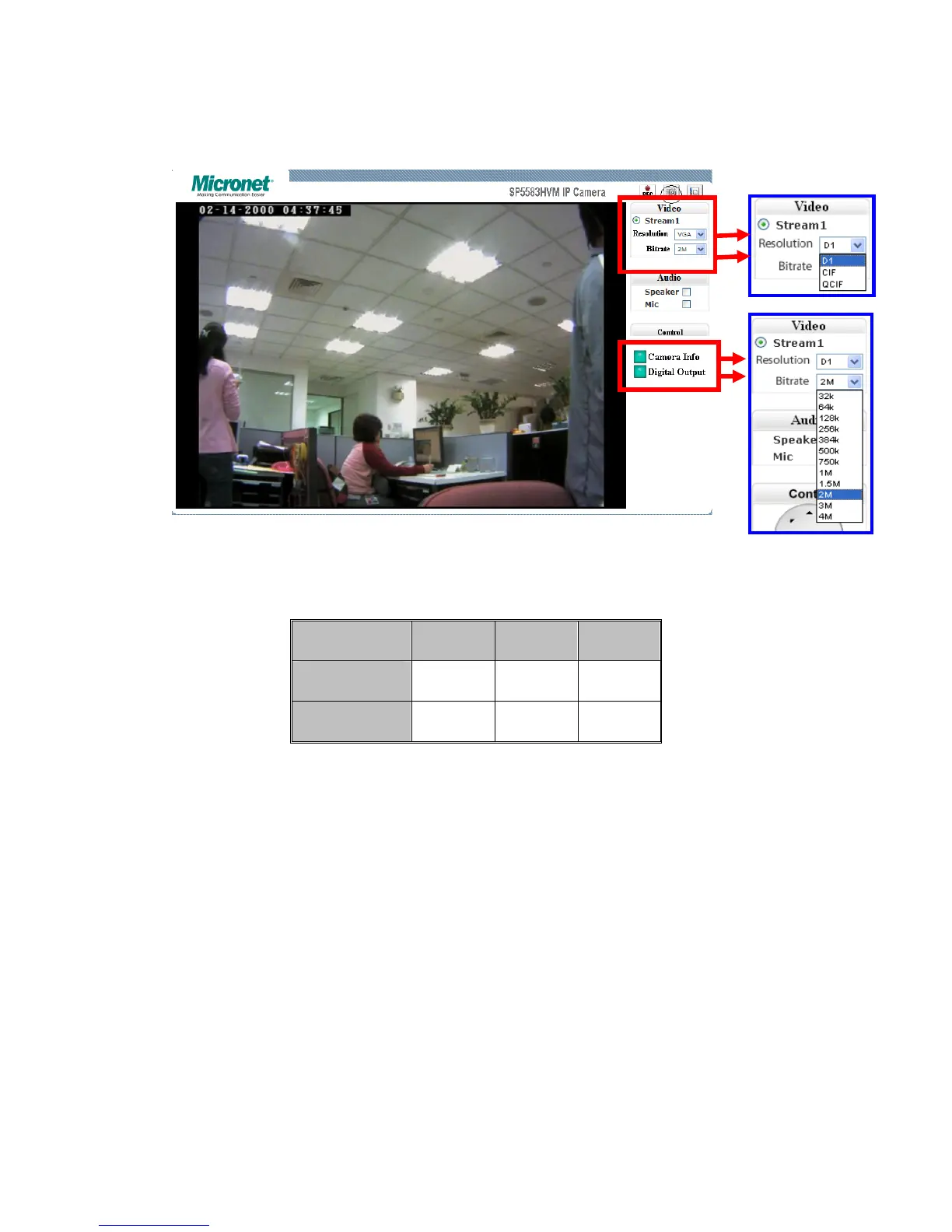
z Control Panel Settings
1. Video / Resolution
The following table shows common resolutions:
2. Video rates / Bit rates
The bit rate setting values range from 32k to 4M and associate with
bandwidth.
3. Choose a specific value and the setting will be enabled within few
seconds. The image on the screen might briefly pause.
4. Camera information (Please refer to the picture)
The button is on the lower right corner of the living viewing image,
showing video information such as frame rate (fps), model name,
and resolution.
Resolution CIF QCIF D1
NTSC
352X240 176X120 720X480
PAL
352X288 176X144 720X576



 To Next Page