Caution: Be sure press “OK” after you have changed the setting in a
particular setting page. After few seconds, a confirmation dialog box will pop up to
indicate that the setting has been updated. To return to the same page, please press
“OK”.
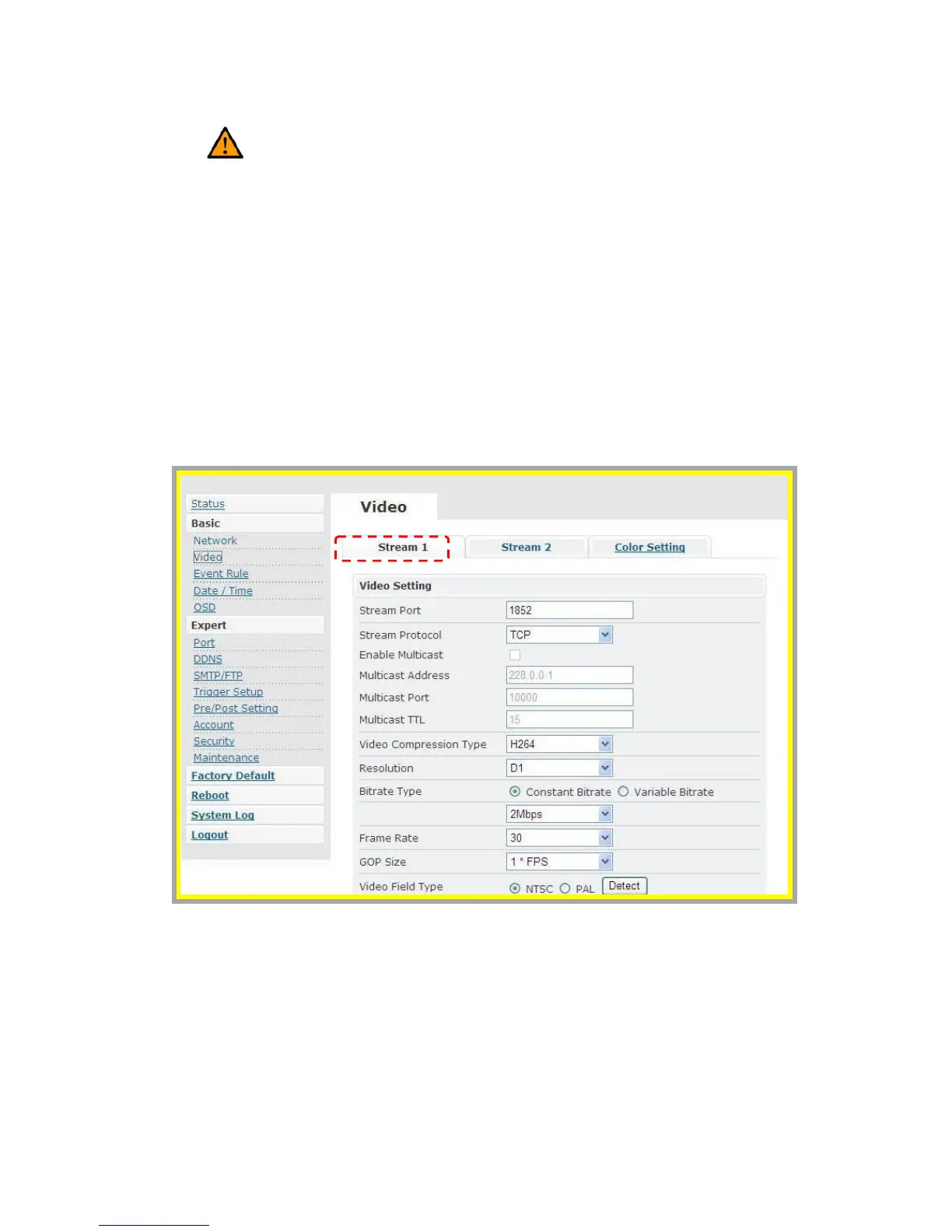
z Video
Stream 1
Æ Video Settings
1. Stream Port: Stream 1 port value setting
2. Stream Protocol: Selectable options: TCP/UDP (RTP) / User can decide
whether to enable multicast function or not (If UDP is selected).



 To Next Page