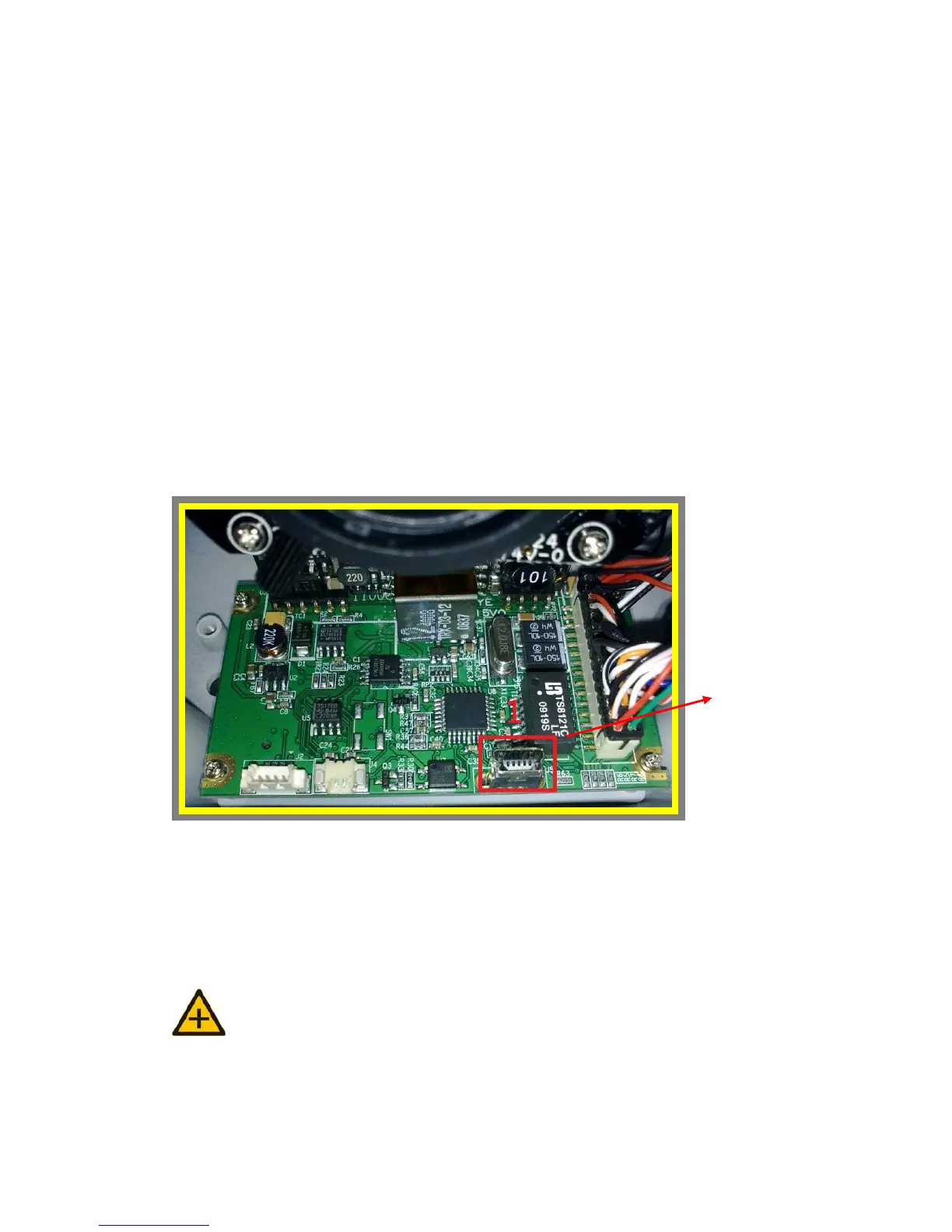
10. USB CONFIG PORT – FIRST
TIME EXPERIENCE
USB config port is designed for quick configuration or factory default. There
is USB config port, a special USB port, on each product.
Connect the IP camera and PC via mini USB cable through USB config port.
Please pay attention that if the IP camera is powered on, it will not be
operant. After finishing the configuration or factory default, please unplug
the USB cable.
NOTE: Remove USB CABLE when the quick configuration is completed.
z OS Requirement
Unplu



 To Next Page