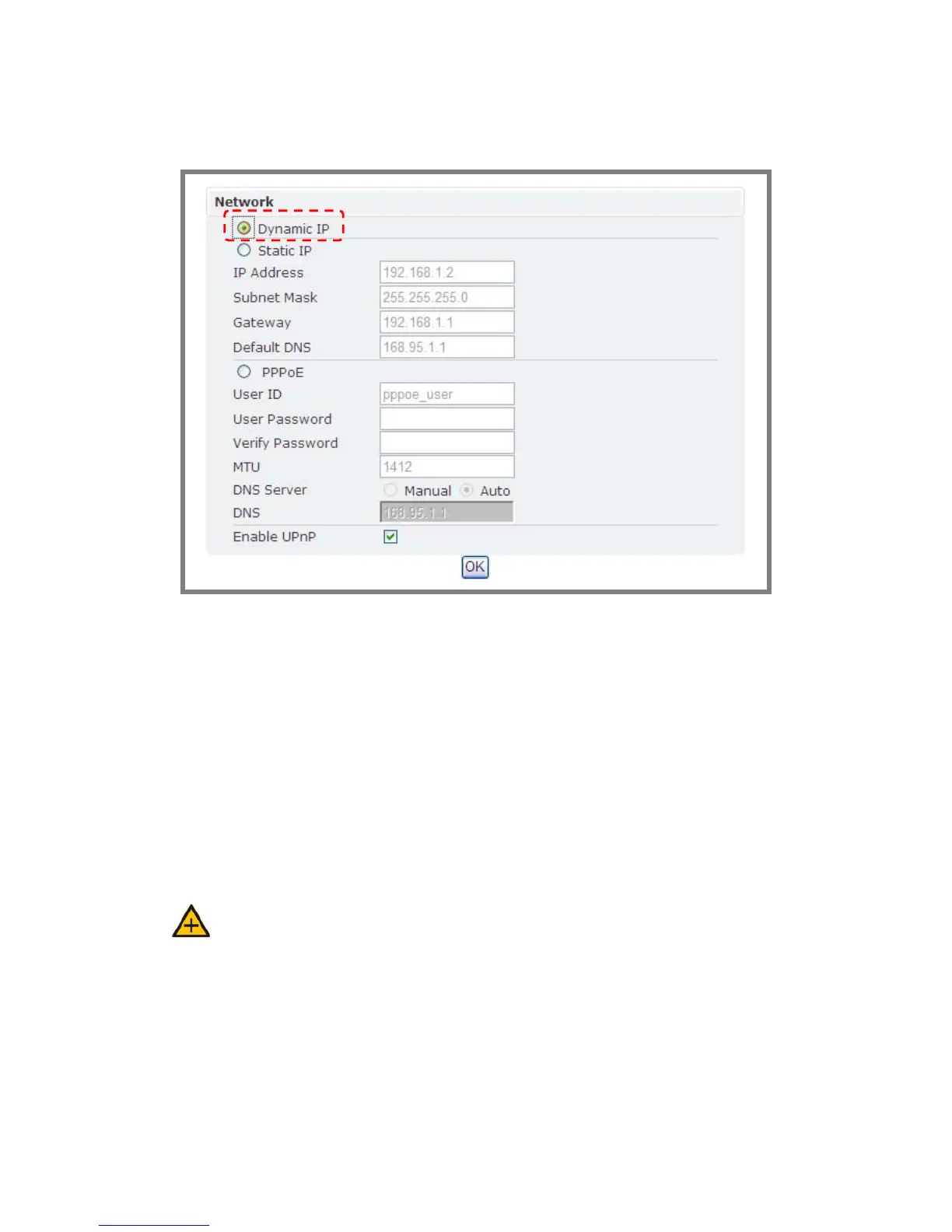
Æ Dynamic IP
1. If DHCP server is on LAN and you want to allocate Dynamic IP address,
use DHCP.
2. Press “OK” button.
3. Reboot will be required and automatically triggered after pressing OK.
4. Please wait for a moment to the count down timer stop. The page will be
redirected to the initial login one.
Note: Always use IP Scan™ to find the MAC addresses after reboot and double
check the IP address. Make sure the IP address is correct. If IP was changed in web
configuration, you cannot return to initial login page after reboot.



 To Next Page