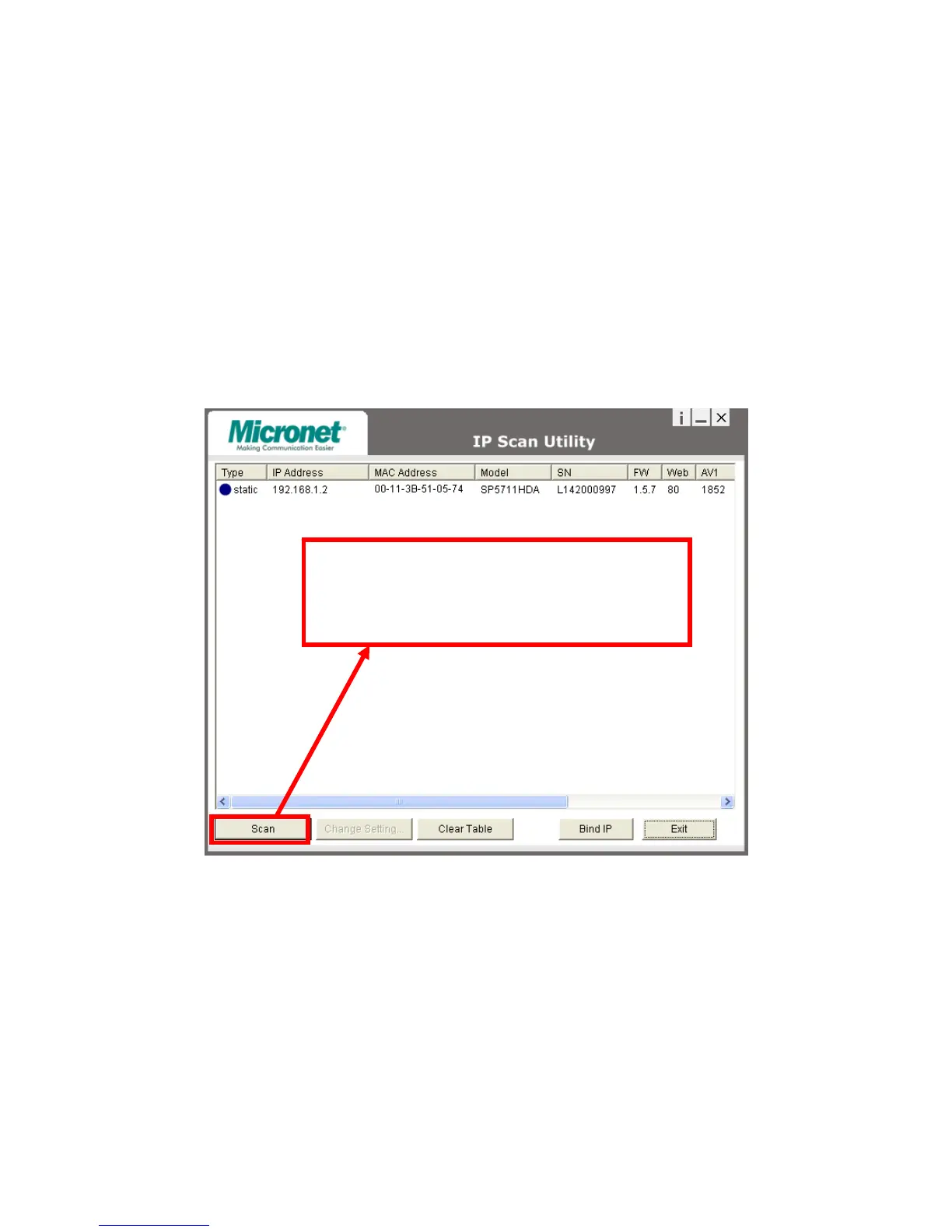
The software allows users easily and quickly find the specific IP camera on
the network.
Select IP Scan from the start menu. User can see the following image:
Press Scan button to check the IP and MAC address list. Press Clear
Table button and press Scan again to refresh.
You will find the list of IP and MAC address listed. To indentify your IP
camera you can flip over the IP camera and check the label for MAC
address on the bottom side.
Press Scan to automatically find online Video Server or Full
Function of Video Server on the network domain



 To Next Page