DOC 6501_Release V
ATS-6501 Users Guide
103
tracking for at least 30 minutes. These types of alarms are cleared automatically if the system
exits from this state. The user is unable to clear these alarm conditions using the clear_alarms
command if the alarms are still active.
6.2.1 Power Supplies
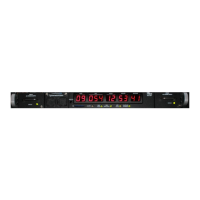
The system has two power supplies and is capable of operating from either supply in the event
one of them fails. If one of the status indicators on the power supply front panel is red there is a
problem with that supply. The front panel alarm light should also be on. Power supply #1 is on
the left and Power Supply #2 is on the right. The possible problems are listed below:
• Power Supply has failed
• Internal Fuse is open
• Power Supply is unplugged, make sure the power supply is plugged in
• Power Source has failed; check to ensure the power source is available and connected to
the rear panel of the unit.
Users can also check the current system using the alarm and the status health:power_supply
commands to check the system status.
ATS-6501> alarm
power_supply:2 -- AC/DC supply missing, or hardware error
ATS 6501>>status health:power_supply
[1]
[active] false
[occurrences] 0
[2]
[active] true
[occurrences] 1
[set]
[what] AC/DC supply missing, or hardware error
[when] 2013-08-05-14:26:02.523
[OK] 2013-08-08T14:38:52Z
If the fault condition has cleared, users are able to check the events in the system using the status
health:power_supply commands to check on events that occurred earlier.
ATS 6501>>status health:power_supply
[1]
[active] false
[occurrences] 0
[2]
[active] false
[cleared]
[what] No errors
[when] 2013-08-06-16:14:38.874
[occurrences] 1
[set]
[what] AC/DC supply missing, or hardware error
[when] 2013-08-05-14:26:02.523



 To Next Page