Certified Drawing
IM 613 / Page 27 (Rev. 7/99)
If the measured resistance and temperature do not match,
either there is a wiring problem or the sensor is defective.
Check the IDC connection and the sensor circuit wiring for
defects.
4. Replace the connector and measure the DC voltage across
the sensor terminals. Using the thermistor chart, compare
this value with the measured temperature. If the measured
voltage and temperature match, the UVC may require
factory service, or it may be defective.
If the measured voltage and temperature do not match, the
UVC is defective (this assumes sensor and circuit are intact).
Temperature Sensor Faults
The following procedure can be used to troubleshoot any of the
six faults that indicate a temperature sensor failure. This type of
fault has a 2, 10, 11, 12, or 13 blink fault code (see Table 9). It is
usually caused by an open or shorted sensor circuit.
1. Determine the sensor’s analog input number. Refer to the
unit wiring diagram or to the input/output tables (Tables
11 through 17).
2. Remove the IDC connector from its UVC terminals and
measure the resistance of the sensor (through the IDC
connection). Compare this value to the acceptable range
of values listed in the thermistor chart (Table 18).
If the measured resistance is within the acceptable range
of values, go on to step 3.
If the measured resistance is higher or lower than any
chart value, either there is a wiring problem or the sensor
is defective. Check the IDC connection and the sensor
circuit wiring for defects.
3. Replace the connector and measure the DC voltage
across the sensor terminals.
If the reading is between 0.39 VDC ± 4% and 4.88 VDC ±
4%, the measured voltage is acceptable. Attempt to clear the
fault by cycling power to the UVC. If the fault does not clear,
the UVC may require factory service, or it may be defective.
If the reading is less than 0.39 VDC ± 4% or greater than
4.88 VDC ± 4%, the UVC is defective (this assumes
sensor and circuit are intact).
Digital Input Faults
The four possible digital input faults are triggered by either a
high pressure or low temperature switch. They are indicated by
a 3- or 5-blink fault code (see Table 9).
Note that an open switch causes a 3-blink fault code and a
closed switch causes a 5-blink fault code. Usually, a digital
input fault is caused by high pressure or low temperature alarm
conditions that are due to mechanical problems in the unit
ventilator. However, this type of fault could also be caused by a
problem in the digital input circuit.
Following is a procedure that may be used to check for prob-
lems in the digital input circuit. If the probable cause of the fault
is found using the procedure, attempt to clear the fault by
cycling power to the UVC. If the probable cause of the fault is
not found using the procedure, assume that mechanical
problems exist and have a qualified technician service the unit
before attempting to reset the UVC.
1. Check the voltage at the secondary of transformer X3; it
should be approximately 24 VAC.
2. Determine the switch’s digital input number. Refer to the
unit wiring diagram or to the input/output tables (Tables
11 through 17).
3. Check the wiring and connections throughout the digital
input circuit.
4. Measure the resistance through the switch contacts (with
at least one wire disconnected). The “3-blink” switches
are normally closed, and the “5-blink” switches are
normally open (see Table 9).
The alarm conditions that cause these faults should
return to normal fairly quickly. If the switch is not in its
normal position after a reasonable amount of time, it is
likely that the switch is defective.
Brownout Fault
A low line voltage condition is indicated by the 6-blink brownout
fault code.
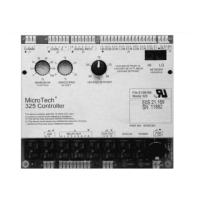
The UVC senses the AC voltage at the “POWER” input section
between the left “9” terminal and the “CT” terminal (see Figure
1). If the voltage at these terminals is less than 8.57 VAC for at
least 10 seconds, the brownout fault will occur. The fault will
automatically clear if the voltage at the terminals
remains greater than 8.93 VAC for at least 5 minutes.
If a brownout fault occurs, check the line voltage to the unit
ventilator. If it is less than 85% of the nameplate value, contact
the power company. If the line voltage remains greater than
85% of the nameplate value for more than 5 minutes but the
fault does not reset, perform the following procedure:
1. Check the primary and secondary voltages of power
supply transformers X2 or X3.
2. Check for faulty wiring or connections throughout the
power supply circuit.
Actuator Feedback Faults
The following procedure can be used to troubleshoot any of the
three faults that indicate an actuator feedback failure. This type
of fault has a 7, 8, or 9 blink fault code (see Table 9). It is usually
caused by a defective actuator or a mis-wired feedback circuit.
1. Estimate the amount of actuator extension by observing
the position of the valve or damper. Verify that the
actuator linkage is intact.
2. Determine the feedback circuit’s analog input number.
Refer to the unit wiring diagram or to the input/output tables
(Tables 11 through 17).
3. Leaving the connector in place, measure the DC voltage
across the input terminals. Compare this reading and the
observed actuator position with the information below.
4. If the reading is between 0.2 ± 0.1 VDC and 3.68 ± 0.29
VDC, the measured voltage is acceptable. Attempt to clear
the fault by cycling power to the UVC. If the fault does not
clear, the UVC may require factory service, or it may be
defective.
If the reading is less than 0.1 VDC or greater than 3.97
VDC, check the wiring and connections between the
actuator and the UVC. Look for shorts or disconnections.
Referring to the unit wiring diagram, verify that the
feedback wires are terminated properly. If the wiring is
intact and the fault does not clear, go on to step 4.


 To Next Page