Certified Drawing
IM 613 / Page 29 (Rev. 7/99)
Valve And Damper Actuator Calibration
Procedures
Points to keep in mind about actuator calibration.
Actuator calibration must be performed...
• after every actuator replacement
• after any linkage adjustment
• as a service test to verify proper operation when problems
are reported
• if a program has been downloaded to the controller and
the previous calibration values were not saved
prior to program download.
• If it appears that the controlled device is not working
properly use these procedures as a troubleshooting tool
to fully activate the controlled device then visually and or
mechanically verify proper operation
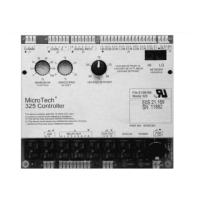
• If the software in your MicroTech 325 controller is version
6 or higher (UV**6*.COD), then calibration will be
automatically performed after every unit power cycle. If
your software has the auto calibration feature, the amber
LED will blink 3 seconds on, then 3 seconds off until cali-
bration is complete. This feature is not implemented in
MicroTech 125 controllers
• All actuators (version 5 software or lower) are factory cali-
brated during unit testing and need not be calibrated at
initial unit start-up unless changes are made to linkage
and or actuators are replaced
• The same memory addresses described in the procedures
above may also be accessed using the DOS Monitor
program
• ALWAYS, if damper or valve problems are reported, check
for damper blockages or linkage problems that prevent
full damper movement and or look for stuck or sticky
valves; correct any problems found then perform the
appropriate calibration procedure
To perform the calibration procedures below you must have the
Windows Monitor program installed on a PC, the PC must be
connected with proper cabling to Port-A on the MicroTech
controller, and you must have established communication
between the PC and the controller. The cable kit required to
properly connect a 9-pin serial PC port to Port-A on a MicroTech
controller is P/N 057186802 which will contain cables P/N
067784501 and P/N 067784503.
You need to know which model of unit ventilator you will be
working with before performing any of the calibration procedures.
MicroTech 325 F&BP Damper and Water Valve Calibration
The following procedure is for Model 7-hot water valve, Model
8-F&BP damper, Models 9-hot water valve, Model 10-F&BP
damper, Model 12-F&BP damper, Model 14-F&BP damper,
and Model 16-F&BP damper.
1. Establish communications to the controller using a PC
with the Windows Monitor software and proper cables.
2. In the Windows Monitor program, go to Support menu
and choose Read/Write.
3. Make sure the address located in the Controller Address
box is the same as the UV you wish to work on. If you are
directly connected to the controller you wish to work on,
and the controller is not a Master in a Master I Slave
network, then the Controller Address 00.FF may be used.
4. On the Read/Write screen, in the Operation box select
the Monitor radio button by clicking on it. In the Display
box select the Decimal radio button by clicking on it.
5. Enter the following string of memory addresses into the
Memory Address box exactly as shown then press the
Enter key: 0212-0217,0A01-0A02,0204,0505-0507,0901-
0902,091A-091B,0935-0936.
6. Notice in the Read/Write area that the values located in
0A01 and 0A02 are identical. Write to 0A01 by clicking on
the value and change it to any value other than the value
at 0A02.
7. Write a value of 4 to location 0204. This will reset the
controller. The program will stop; all outputs will go off.
8. Write 255 to location 0216, this will return a value of 1.
This will begin forcing the F&BP damper to the full
bypass position (or begin closing the valve).
9. Watch memory location 0506 change, when this value
stops changing, the damper is in the full bypass position
(valve fully closed). On a sheet of paper, write this value
down for later use.
10. Write a 0 to location 0216. Then write a 255 to location
0217, this will return a value of 1. This will begin forcing
the F&BP damper to the full face position (or begin
opening the valve).
11. Watch memory location 0506 change, when this value
stops changing, the damper is in the full face position (valve
fully opened). On a sheet of paper, write this value down for
later use.
12. Write a 0 to location 0217.
13. Using the Read/Write screen write the lowest value of
the two numbers you wrote down on the sheet of paper to
location 091A, then write the higher value to location 091B.
14. Change location 0A01 to match 0A02.
15. Reset the controller by writing 4 to location 0204.
16. The controller should start its program and begin
operating normally.
Note: The same procedure is used for MicroTech 125 control-
lers except you must replace all instances of 0A01 with
8001, and replace all instances of 0A02 with 8002.
MicroTech 325 F&BP Damper and Water Valve Calibration
The following procedure is for Model 11-heat/cool water valve,
Model 13-cold water valve (not hot water valve), Model 15-cold
water valve, Model 17-cold water valve, and Model 18-F&BP
damper.
1. Establish communications to the controller using a PC
with the Windows Monitor software and proper cables.
2. In the Windows Monitor program, go to Support menu
and choose Read/Write.
3. Make sure the address located in the Controller Address
box is the same as the UV you wish to work on. If you are
directly connected to the controller you wish to work on,
and the controller is not a Master in a Master I Slave
network, then the Controller Address 00.FF may be used.


 To Next Page