Page 13
midlandusa.com
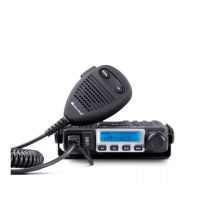
Model MXT115
Power On/Off
To turn the radio on and off:
1. With the radio off, turn the kn ob clockw ise. You will hear a tone when
the radio is on.
ƒ The LCD display will show all icons for one second and then display
the most recently selected channel.
2. With the radio on, turn the kn ob counter clockw ise.
ƒ The LCD display will go blank when the radio turns off.
Selecting the Active Channel
IMPORTANT! To communicate between two radios, both radios must be
set to the same channel (see Selecting a Privacy Code) selections.
To select the active channel:
1. Be sure the radio is turned on (See Power On/Off).
2.
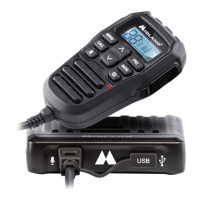
Press and release the Channel Up button on the microphone to
scroll forward through the ava ilable channels. Press and release the
Channel Down button on the microphone to scroll backw ard
through the ava ilable channels.
ƒ The Channel icon on the LCD display will show the active channel.
ƒ To make the repeater channels selectable, see Activate Repeater
Channels.
Adjusting the Volume
1. Turn the Volume kn ob clockw ise to increase the vo lume
2. Turn the Volume kn ob counter clockw ise to decrease the volume
Transmitting and Receiving a Call
IMPORTANT! To communicate between two radios, both radios must be
set to the same channel (see Selecting a Privacy Code) selections.



 To Next Page