Page 14
midlandusa.com
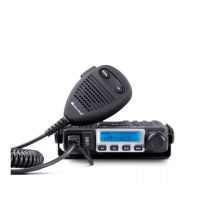
Model MXT115
To transmit and receive a call:
1. Be sure the radio is turned on (see Power On/Off).
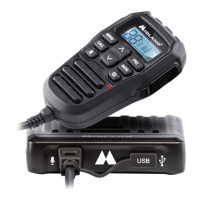
2. To transmit a call, press and hold the PTT button on the microphone,
and speak into the microphone in a normal vo ice.
NOTE: For maximum clarity, hold the microphone 2 to 3 inches from your
mouth when speaking.
ƒ The TX icon will show continuously on the LCD display while
transmitting.
3. To receive a call, release the PTT button on the microphone.
ƒ The RX icon will show on the LCD display when yo ur radio is receiv-
ing a transmission.
4. If necessary, turn the vo lume kn ob clockw ise or counter clockw ise to
increase or decrease the radio vo lume.
UTILITY FUNCTIONS
8WLOLW\IXQFWLRQVOHW\RXFRQ¿JXUHVHYHUDORSHUDWLRQDOSDUDPHWHUVRIWKH
MXT115 to suit yo ur personal preferences. For additional functions, see
“M ENU” MODE FUNCTIONS.
Locking the Keypad
You can use the keyp ad “lock” function to preve nt accidentally changing
yo ur radio’s settings. When the function is enabled, the current radio
settings are “locke d” in place.
NOTE: When the “lock” function is enabled, the PTT button on the
microphone and the Volume Knob on the radio remain active.



 To Next Page