Page 6
midlandusa.com
Model MXT115
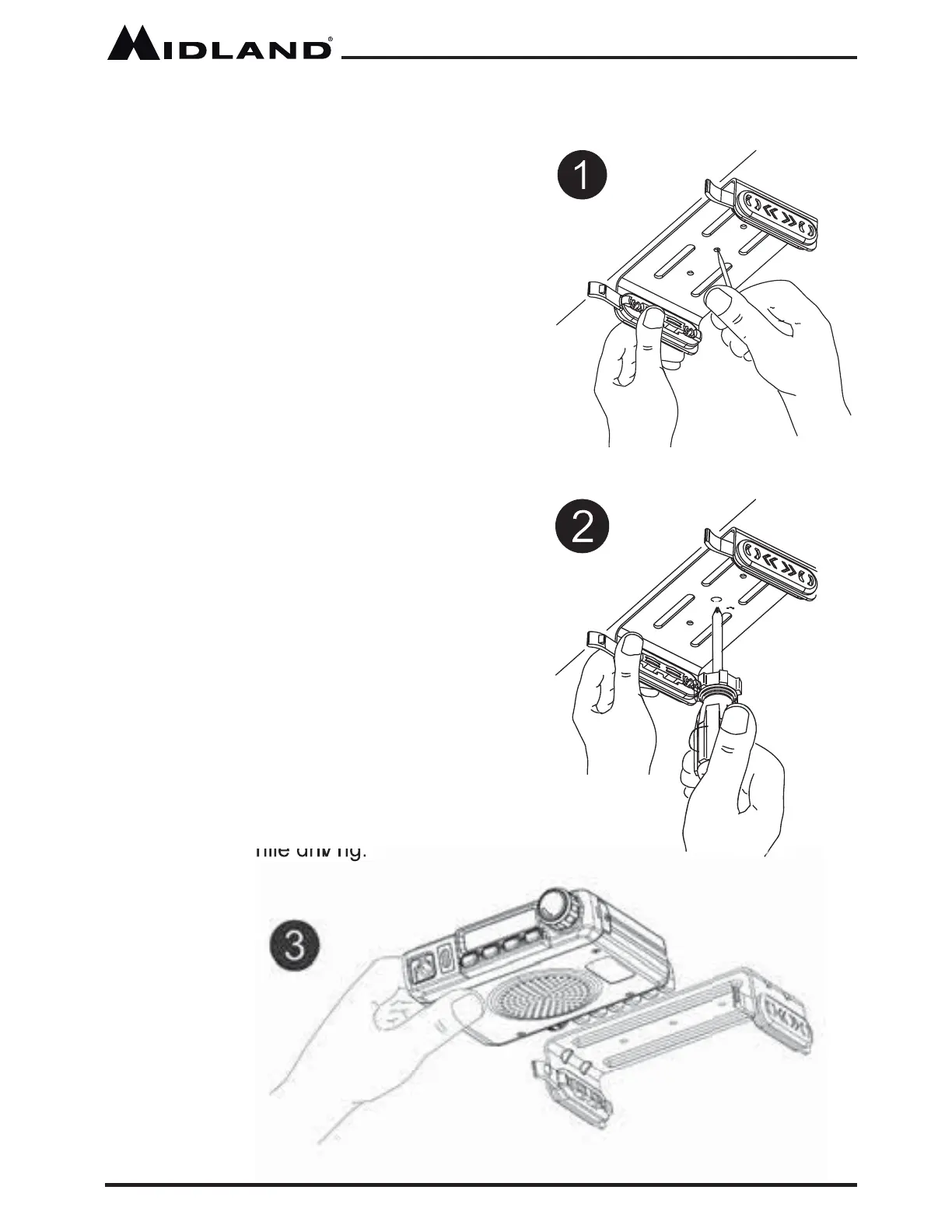
1. Using the mounting bracke t as a
template, mark the location of each
screw hole under the dash. Use a
nail or other sharp pointed object to
mark the hole locations.
2. Attach the bracke t to the dash with
the Phillips head sheet metal screws
provi ded. Tighten the screws
securely. DO NOT OVER-TIGHTEN.
3. Slide the radio into the mounting
bracke t. BE SURE the mounting
bracke t retainers engage the slots
in the sides of the radio to prevent
move ment while drivi ng.
Installing the Mounting Bracket



 To Next Page