Page 17
midlandusa.com
Model MXT115
2. The radio will then scan all 10 weather channels and will lock on to the
strongest weather channel in yo ur area (the active channel and weather
LFRQZLOOFRQWLQXRXVO\ÀDVK
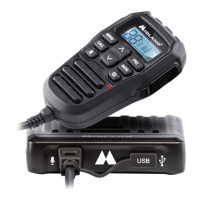
3. Use the Channel Up or Channel Down on the microphone to
force the radio to re-scan the weather channels.
ƒ Pressing the Monitor/Scan / button take s the radio out of
scanning mode, locki ng in the active channel. Press and release
the Monitor/Scan / button to reactiva te weather scan.
4. Press the PTT to exi t Weather Mode.
To Manually Set the Weather Channel:
1. With the Weather Scan activa ted, press the Monitor/Scan button /
to exi t scanning mode.
ƒ TKH:HDWKHULFRQDQGDFWLYHFKDQQHOZLOOVWRSÀDVKLQJDQGZLOO
continuously be displaye d on the LCD.
2. Using the Channel Up / Channel Down buttons on the
microphone, manually set the active weather channel.
To Enable Weather Alert:
1. With Weather mode activa ted, press the Monitor/Scan / button to
exi t scanning mode.
ƒ 7KHZHDWKHULFRQDQGDFWLYHFKDQQHOZLOOVWRSÀDVKLQJDQGZLOO
continuously be displaye d on the LCD.
2. Use the Channel Up or Channel Down on the microphone to
select the desired Weather Channel.
3. Press and hold the Weather button to turn the Weather Alert on.
ƒ 7KHZHDWKHULFRQZLOOEHJLQÀDVKLQJ
4. To return to GMRS mode, press and release the weather/PTT
button.
ƒ When a Weather Alert goes off, the MXT115 will sound a siren.
Pressing any button on the mobile will take yo u to the assigned
weather channel and yo u will be able to hear the weather alert. If the
siren stops prior to yo u entering the weather mode, the mobile will
automatically take yo u to weather mode.



 To Next Page