Page 23
midlandusa.com
Model MXT115
Repeater Channels
Your MXT115 has the ability to access repeater channels. The use of a
UHSHDWHUFDQVLJQL¿FDQWO\LQFUHDVHDUDGLR¶VUDQJHDQGFRYHUDJHDUHD
Prior to using a repeater yo u must coordinate with the owner of the
repeater to gain permission to use the repeater. Be sure to understand
and follow the sharing and usage rules for each repeater syst em.
To Set the Repeater Channel:
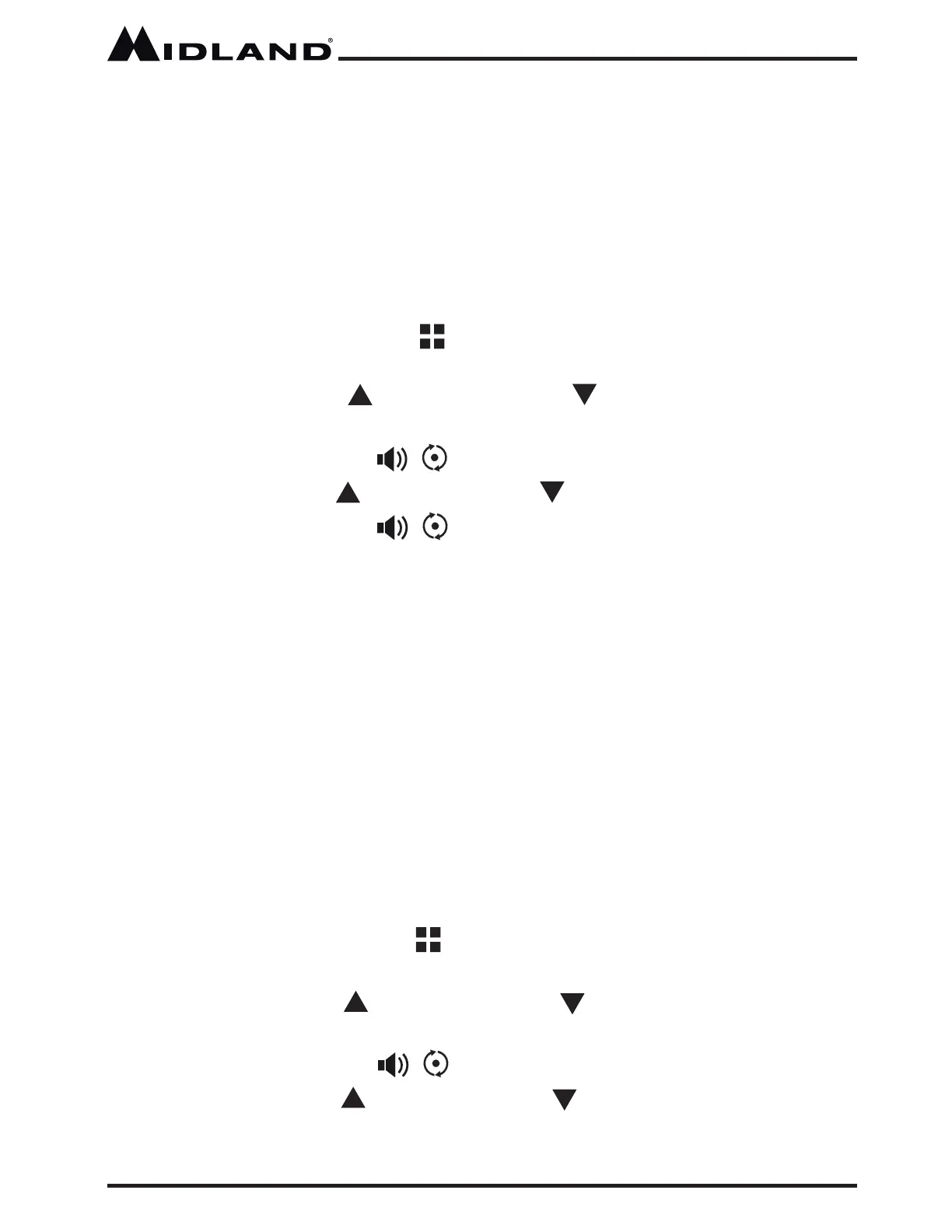
1. Press and release the Menu button to place the radio in “Menu”
mode.
2. Use the Channel Up or Channel Down button to scroll through
the menu options until the LCD display shows rP.
3. Press the Monitor/ScanEXWWRQWRFRQ¿UP\RXUVHOHFWLRQ
4. Use the Channel Up or Channel Down button to select ON or OFF.
5. Press the Monitor/ScanEXWWRQWRFRQ¿UP\RXUVHOHFWLRQ
YOU
MUST PRESS THE MONITOR/SCAN BUTTON TO CONFIRM YOUR SELECTION
OR THE REPEATER CHANNEL SELECTION WILL NOT BE CHANGED.
ƒ When activa ted the repeater channels will be displaye d as the
channel number (Ex. 15,16,17,etc.) and the rP icon.
ƒ Repeater channels will appear immediately following the standard
GMRS channels (Ex: 20,21,22,15
rP,
16
rP
17
rP
etc).
Selecting the LCD Display Background Color
Your MXT115 has 8 different color options for the LCD Display
backg round.
To select the LCD Display background:
1. Press and release the Menu button to place the radio in “Menu”
mode.
2. Use the Channel Up or Channel Down button to scroll through
the menu options until the LCD display shows db.
3. Press the Monitor/Scan EXWWRQWRFRQ¿UP\RXUVHOHFWLRQ
4. Use the Channel Up or Channel Down button to select the LCD
Display backg round color (01 - 08).



 To Next Page