Page 24
midlandusa.com
Model MXT115
5.When the desired color has been selected, press the Monitor/Scan
EXWWRQWRFRQ¿UP\RXUVHOHFWLRQ
YOU MUST PRESS THE MONITOR/
SCAN BUTTON TO CONFIRM YOUR SELECTION OR THE BACKGROUND COLOR
WILL NOT BE CHANGED.
RESTORING THE DEFAULT SETTINGS
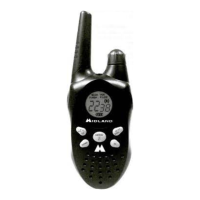
You can restore the original (factory default) settings for yo ur MXT115 at
any time.
To restore the default settings:
1. Be sure the radio is turned off (see Power On/Off).
2. Press and hold the PTT and the Weather button simultaneously.
3. With the buttons still held, turn on the radio.
ƒ All user settings will be cleared, returning the radio to all default
settings.



 To Next Page