English-58
004-1055-00
TP210 Rev. A
© 2013 Midmark Corp. | 60 Vista Drive Versailles, OH 45380 USA | 1-800-643-6275 | 1-937-526-3662 |
[Revised: mo/dd/yr]
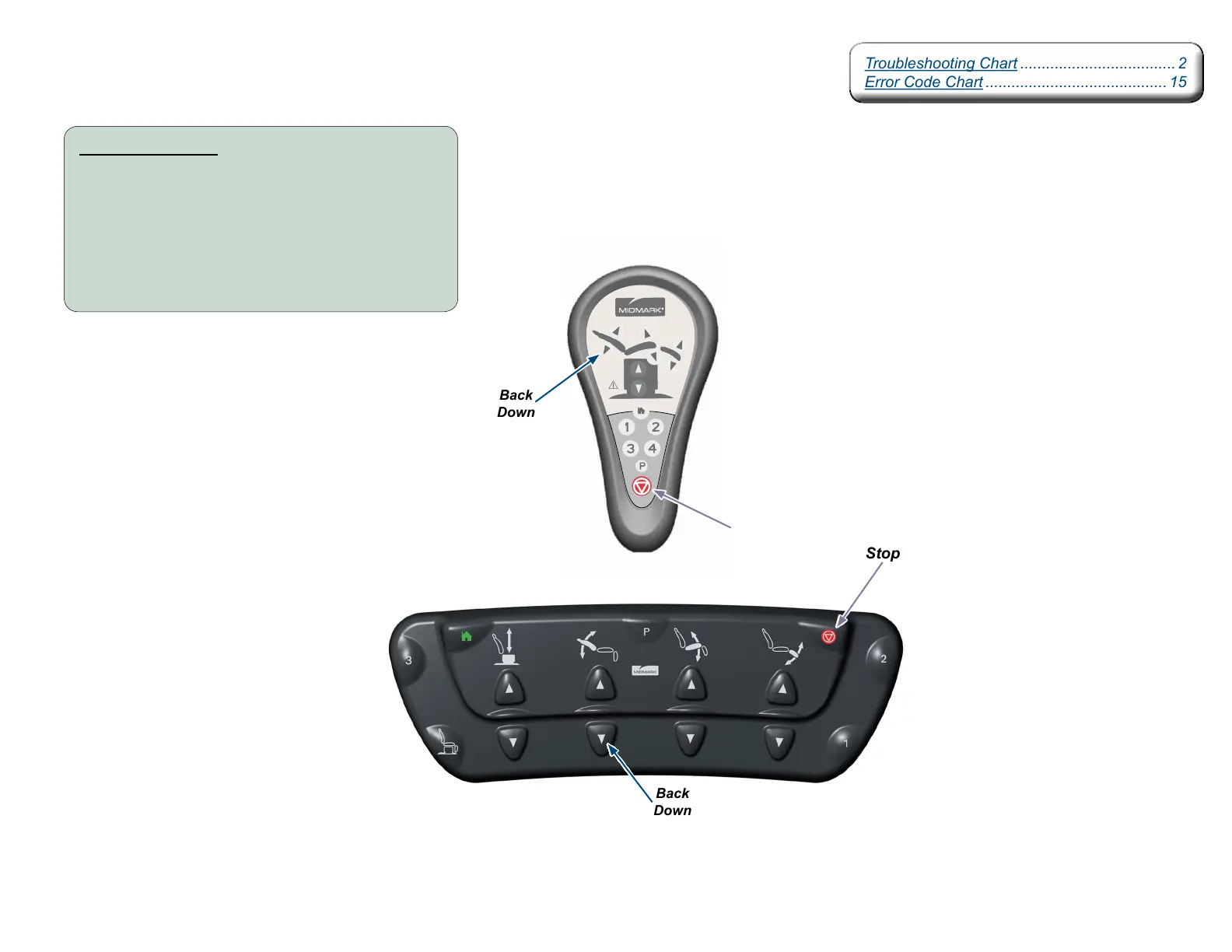
Control Lockout
Stop
Stop
Back
Down
Back
Down
Control Lockout:
Press and hold the Stop and Back Down buttons
simultaneously for two seconds. You will hear a
single “Beep” to indicate control lockout is
enabled / disabled.
Note: While the controls are locked out, you will hear a series
of three “Beeps” while motion is attempted.
Troubleshooting Chart .................................... 2
Error Code Chart .......................................... 15
Troubleshooting Chart .................................... 2
Error Code Chart .......................................... 15



 To Next Page