English-65
004-1055-00
TP210 Rev. A
© 2013 Midmark Corp. | 60 Vista Drive Versailles, OH 45380 USA | 1-800-643-6275 | 1-937-526-3662 |
[Revised: mo/dd/yr]
J4
J6
J12
J5
J7
J6
J1
J16
J4
F5
J6
J12
J5
J7
J6
J1
J16
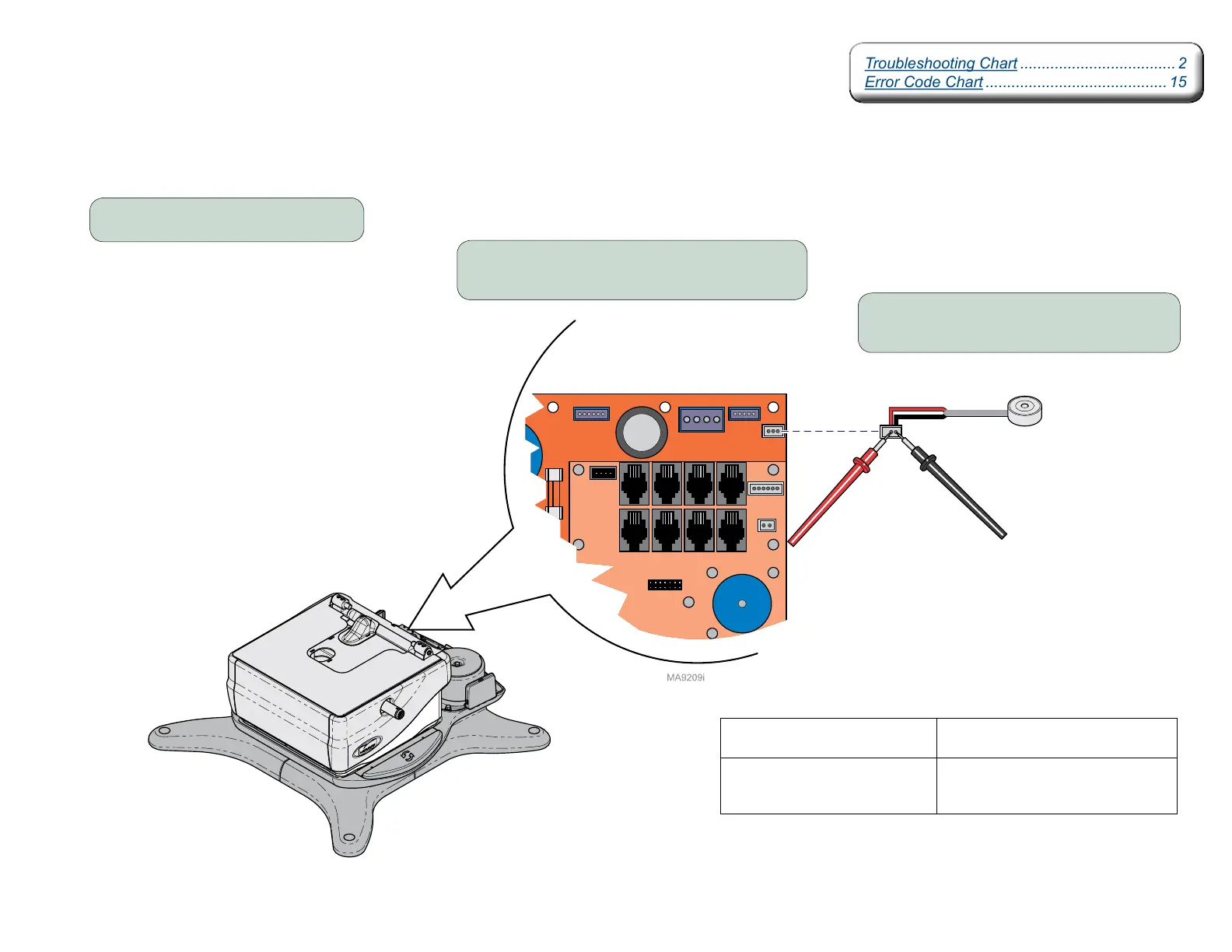
Rotational Base Brake System - continued
Electro-magnet Test
Step 1: Remove PC Board cover.
Step 2: Disconnect magnet wire harness.
from J4 on Power Supply PC Board.
Meter Reading Required Action
approx. 10 ohms Electro-magnet is OK.
Check mechanical components.
OL -or-
less than 5 ohms
Inspect magnet wire harness
and wire connection in lower base.
If OK, replace Electro-magnet.
Step 3: Place meter probes on Red and
Black wire connections.
Troubleshooting Chart .................................... 2
Error Code Chart .......................................... 15
Troubleshooting Chart .................................... 2
Error Code Chart .......................................... 15
Electro-magnet



 To Next Page