English-36
004-1055-00
TP210 Rev. A
© 2013 Midmark Corp. | 60 Vista Drive Versailles, OH 45380 USA | 1-800-643-6275 | 1-937-526-3662 |
[Revised: mo/dd/yr]
TX
RX
COM
PWR
Wireless Controls
Isolating a Malfunction
Testing
• Whenanycontrolbuttonispressed,
that controller sounds a single “beep”.
(All functions operate)
Cause: 1. Low battery
2. Faulty PC board in controller
Solution: 1. Replace batteries (size: AA)
2. Replace controller
• Whenanycontrolbuttonispressed,nothinghappens.
(No movement, controller “beeps”)
Check: 1. Perform Association Procedure
• Whenanycontrolbuttonispressed,nothinghappens.
(No movement, no “beeps”)
Check: 1. Perform Association Procedure
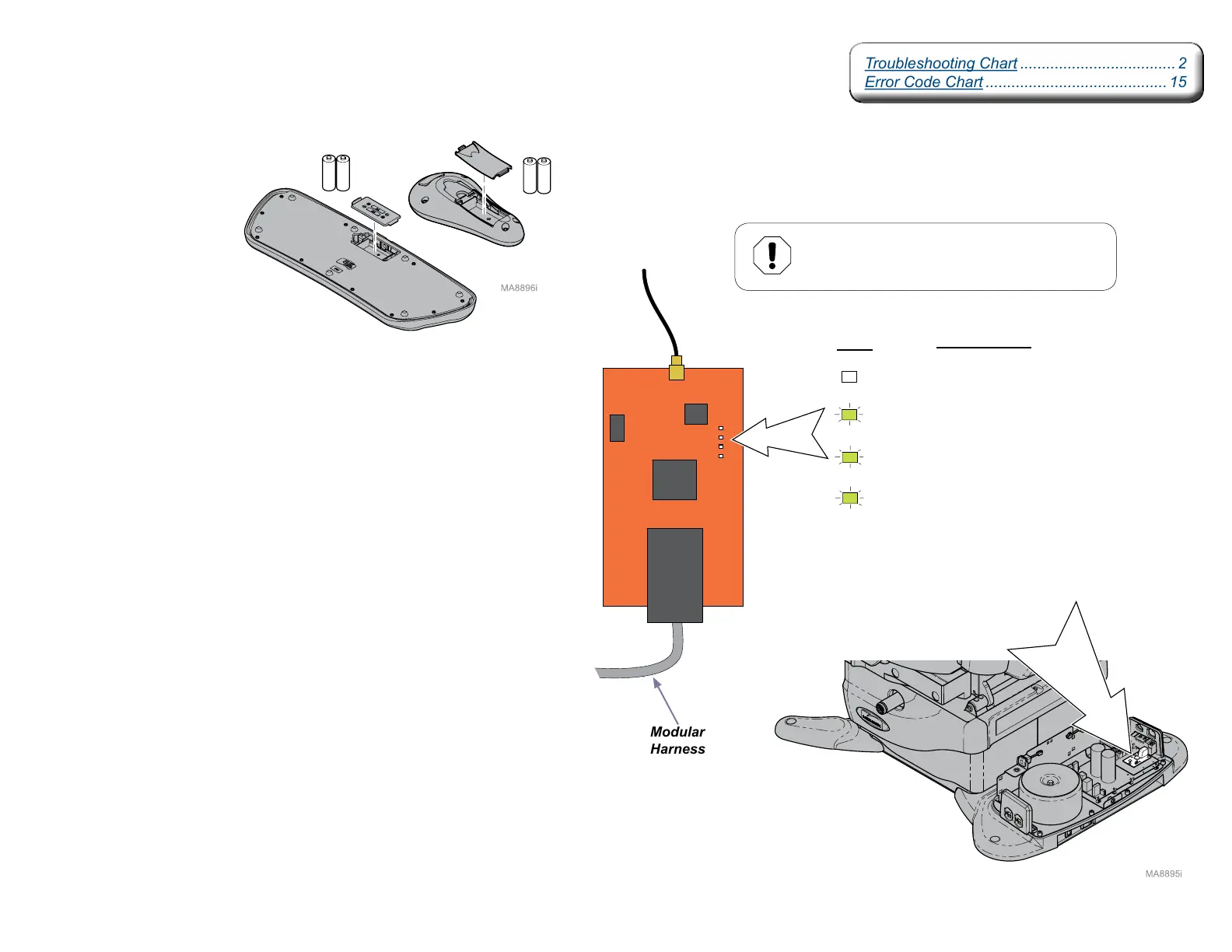
2. LEDs on base station PC board
If LED status is normal (see illustration):
•CheckLEDsoncontrollerPCboard(seenextpage)
If no LEDs are illuminated, check the following:
•Modularharness(looseconnections,damage,etc.)
•Powersupplytochair
•ReplacebasestationPCboardifnecessary
Normal Status
(OFF - except during Association Procedure)
(ON - except during Association Procedure)
Modular
Harness
Base Station PC Board
Equipment Alert
Antenna connection is very delicate.
Do not kink wire or apply stress to connection.
Antenna
Cable
(ON)
(ON)
LEDs
Troubleshooting Chart .................................... 2
Error Code Chart .......................................... 15
Troubleshooting Chart .................................... 2
Error Code Chart .......................................... 15



 To Next Page