English-57
004-1055-00
TP210 Rev. A
© 2013 Midmark Corp. | 60 Vista Drive Versailles, OH 45380 USA | 1-800-643-6275 | 1-937-526-3662 |
[Revised: mo/dd/yr]
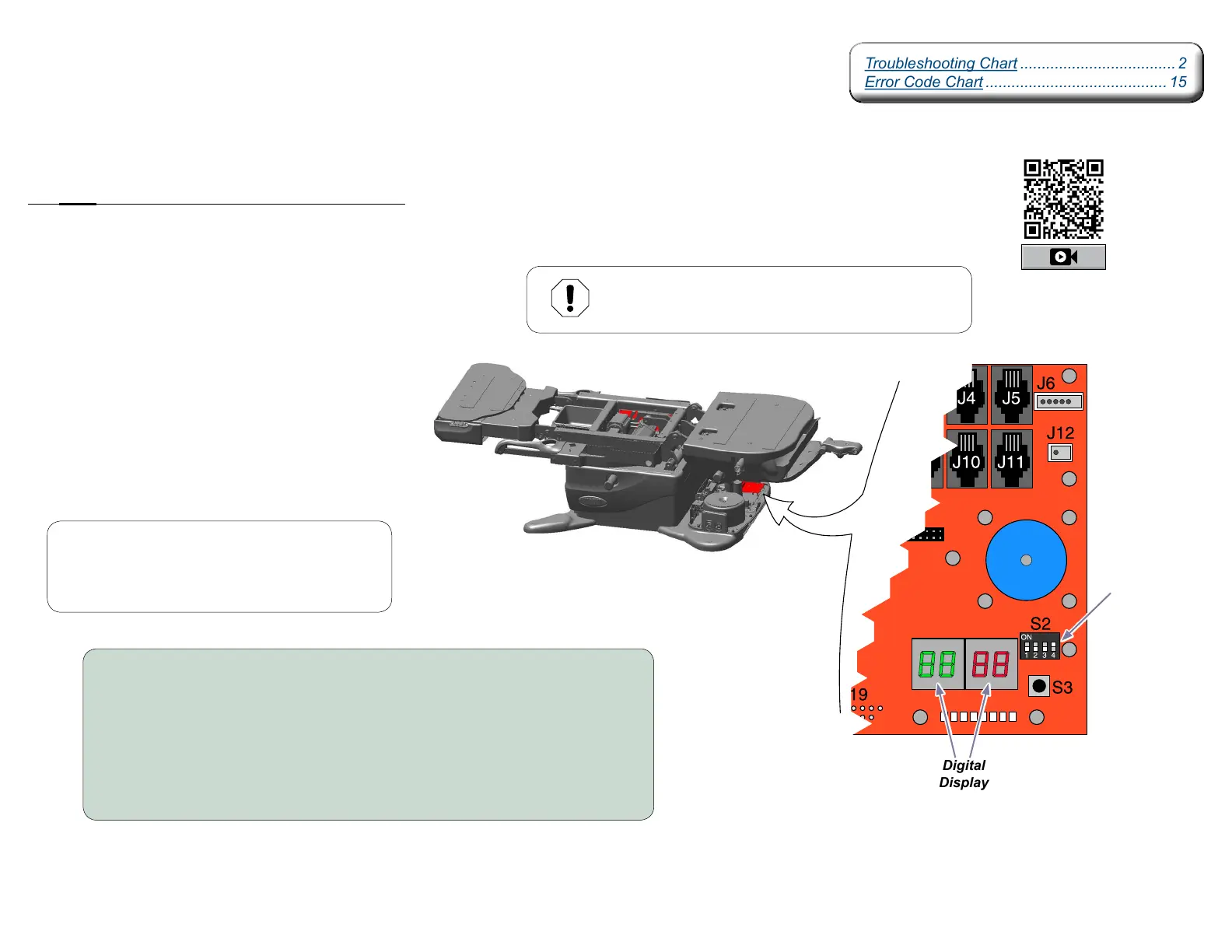
Calibration Procedure
During the calibration procedure you will hear a steady pattern of “beeps” .
The table will run all functions (base, back, tilt, foot) to their minimum and maximum positions,
thenreturntoaloweredatposition.
When calibration is complete, the table will stop moving and you will hear three short “beeps”.
You must calibrate the table in the following situations:
•AfterreplacingPowerSupplyPCBoard.
•AfterreplacingMotorControlHubPCBoard.
•AfterreplacingMachineControlBoard.
•AfterreplacingBase,Back,TiltorFootactuators.
•Afteralimitswitchbracketisadjusted.
•Whenanerrorcodeindicatescalibrationisneeded.
Equipment Alert
Anytime the PC Board is removed or the actuator wires
are disconnected, the table must be calibrated.
MA9053i
Note
When S3 button is pressed, then released, you will
hear a steady pattern of “beeps”. When calibration
is completed you will hear three short beeps.
To calibrate...
A) Unplug table power cord.
B) When the digital display darkens, move S2 switch number four to ON (up).
C) Plug in table power cord.
D) When the digital display darkens, press and release S3 button.
E) When calibration is complete, unplug table power cord.
F) Move S2 switch number four to OFF (down).
G) When the digital display darkens, plug in table power cord.
Machine
Control
Board
Switch
Number
Four
Digital
Display
Troubleshooting Chart .................................... 2
Error Code Chart .......................................... 15
Troubleshooting Chart .................................... 2
Error Code Chart .......................................... 15
Calibration



 To Next Page