Technical Information
31
2xx, S 3xx & S 4xx Canister Vacuums
3. When re-installing, use pointed pliers to tension and hold the spring before
pressing the holder into place.
5.4 Dust Channel
5.4.1 S 25x
1. Open the dust compartment lid.
2. Remove the 3 Phillips screws securing the dust channel to the dust
compartment lid and release the dust channel.
5.4.2 S 27x
1. Open the dust compartment lid.
2. Remove the 2 Phillips screws securing the bottom of the dust channel to
the underside of the dust compartment lid.
3. Separate the dust channel assembly from the dust compartment lid.
5.4.3 S 3xx and S 4xx
1. Open the dustbag compartment lid fully.
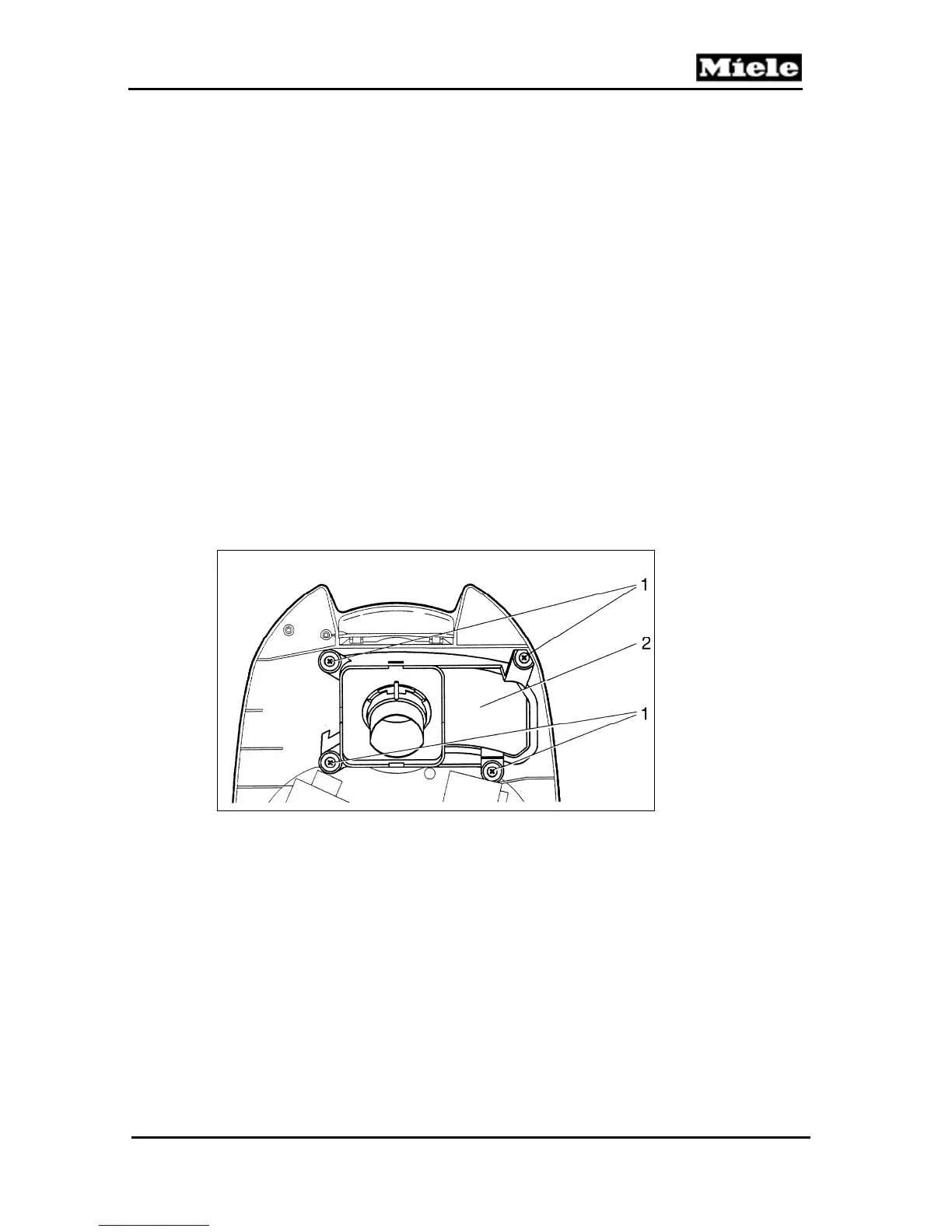
2. Unscrew the 4 Phillips screws (Figure 5-6, Item 1).
3. Remove the dust channel (Figure 5-6, Item 2).
Figure 5-6: S 3xx and S 4xx Dust Channel
5.5 Dustbag Change Indicator
5.5.1 S 25x
1. Remove dust channel first, then remove the additional Phillips screw
securing the indicator to the dust compartment lid.
2. Release the indicator from the lid.
5.5.2 S 27x
1. Open the dust compartment lid.
2. Unscrew the 2 Phillips screws securing the indicator to the underside of
the dust compartment lid.



 To Next Page