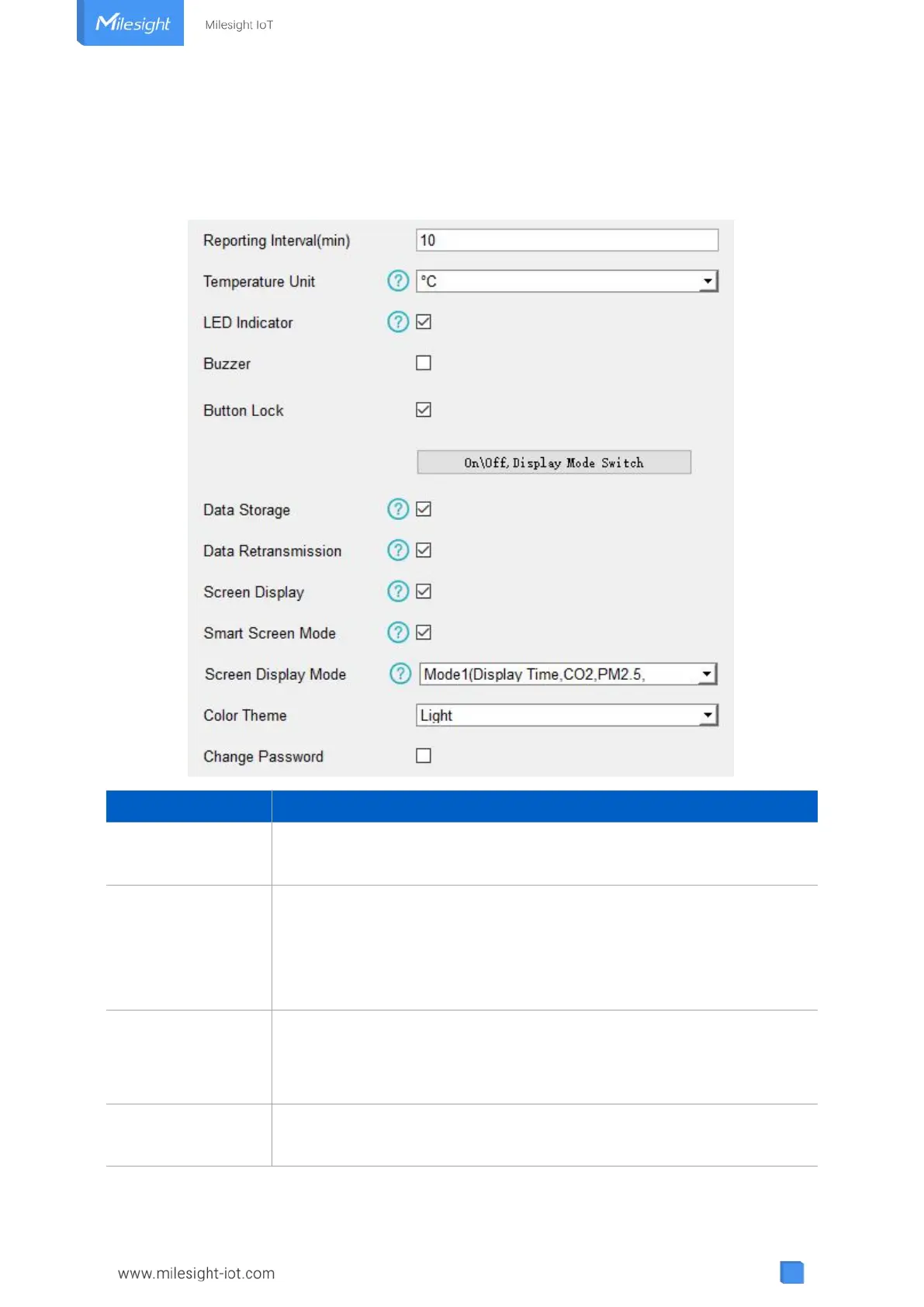
4.4 Basic Settings
Go to “Device Settings -> Basic” of ToolBox software or “Device -> Settings -> General Settings”
of ToolBox App to change the reporting interval, screen mode, etc.
Reporting interval of transmitting current sensor values to network
server. Default: 10 mins, Range: 1-1080 mins
Change the temperature unit displayed on the ToolBox and screen.
Note:
1) The temperature unit in the reporting package is fixed as °C.
2) Please modify the threshold settings if the unit is changed.
Enable or disable the traffic light indicator to indicate air quality level.
AM307 & AM308: Blink
AM319: Always On, Blink
Enable or disable the buzzer. If enabled, the buzzer will response when
one of concentrations of air pollutants exceeds the Bad threshold. It will



 To Next Page