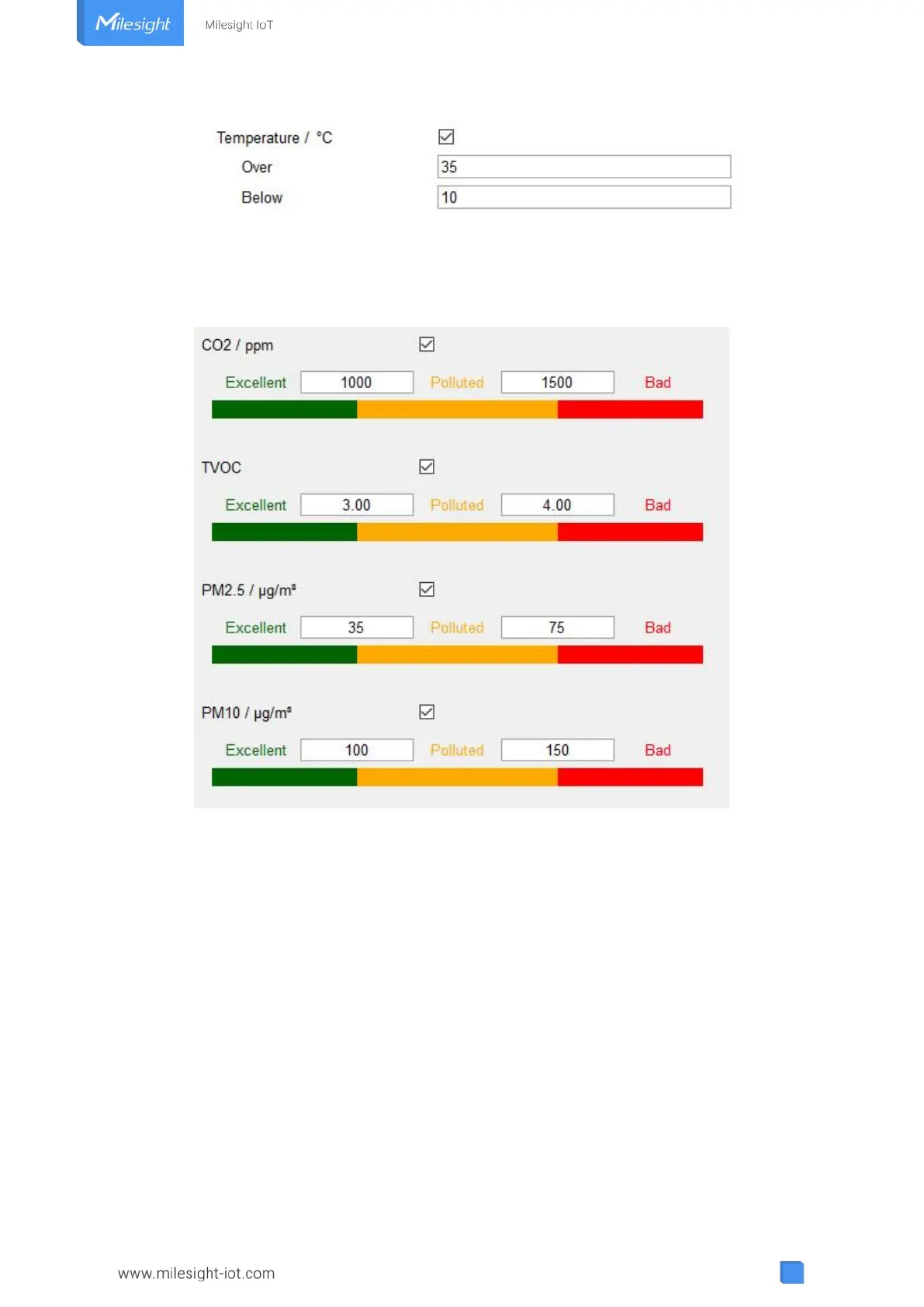
For CO
2
, TVOC, PM2.5, PM10 and HCHO/O
3
, it supports defining Excellent, Polluted and Bad
threshold for traffic light, buzzer and screen alarms. Besides, when one of concentrations of air
pollutants exceeds the Bad threshold, AM300 series will upload the current data once instantly.
4.5.4 Data Storage
AM300 series supports storing more than 18000 data records locally and exports data via
ToolBox App or ToolBox software. The device will record the data according to reporting interval
even not joining network.
1. Go to “Device Settings -> Basic” of ToolBox software or “Device -> Settings -> General
Settings” of ToolBox App to enable data storage feature.
2. Go to “Maintenance -> Basic” of ToolBox software or “Device -> Maintenance” of ToolBox
App, click “Export”, then select the data time range and click “Save” to export data.
Note: ToolBox App can only export last 7 days’ data. If you need to export more data, please use
ToolBox software.
3. Click “Clear” to clear all stored data inside the device.



 To Next Page