OM-260430 Page 20
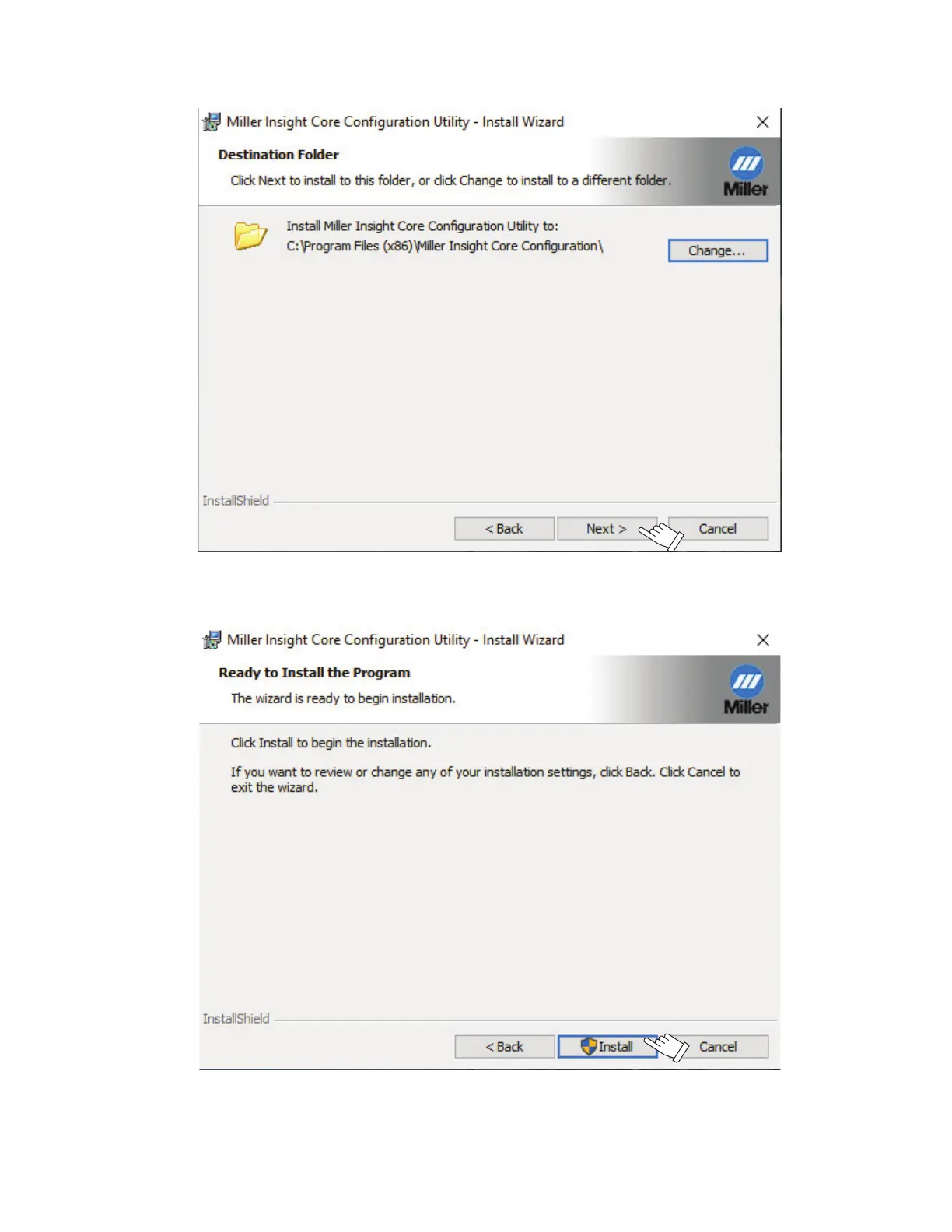
5. By default, the application selects a local drive on your computer with sufficient space to install the program. Click Next to accept the default
location, or change the path before proceeding (see Figure 4-5).
Figure 4-5. Destination Folder
6. Click Install to complete installation of the Configuration Utility (see Figure 4-6).
Figure 4-6. Utility Install


 To Next Page
 Loading...