Data Managing Unit (DMU)
10-10
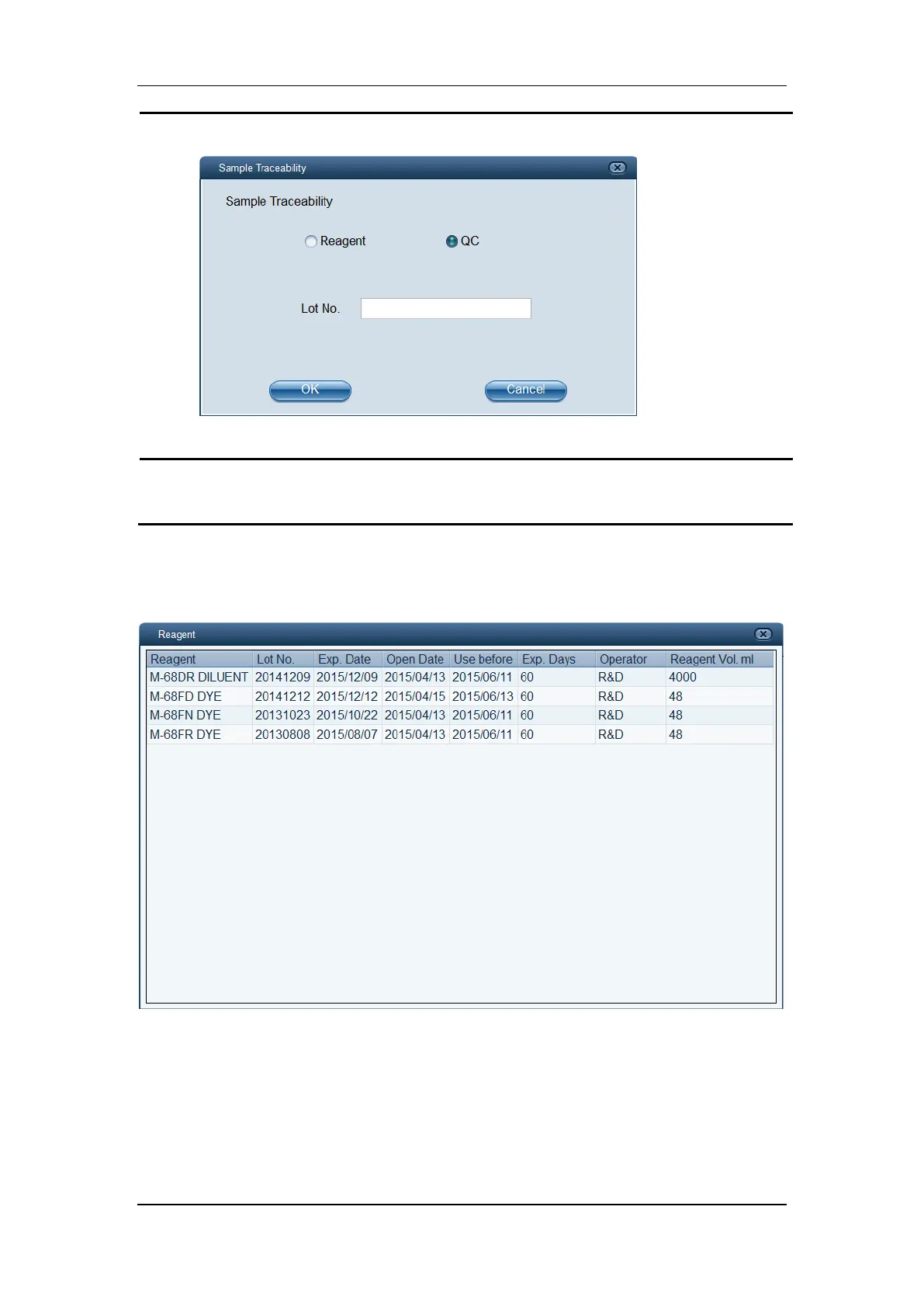
1) Select the “QC” radio button.
2) Specify the desired “Lot No.” of the control.
Click “OK” to close the dialog box, and the software will search for matching samples
and display them in the table area.
10.5.3 Tracing Reagent Information Used for Control Analysis
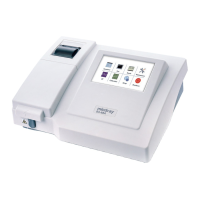
In L-J QC Table screen, click “Reagent”, and the dialog box below pops up.
The dialog box shows the information of all reagents used in the selected L-J QC analysis.


 To Next Page