Supplementary Reagent Loading (SRL) Module (Optional)
11-4
11.3 Checking the Pressure of the SRL Module
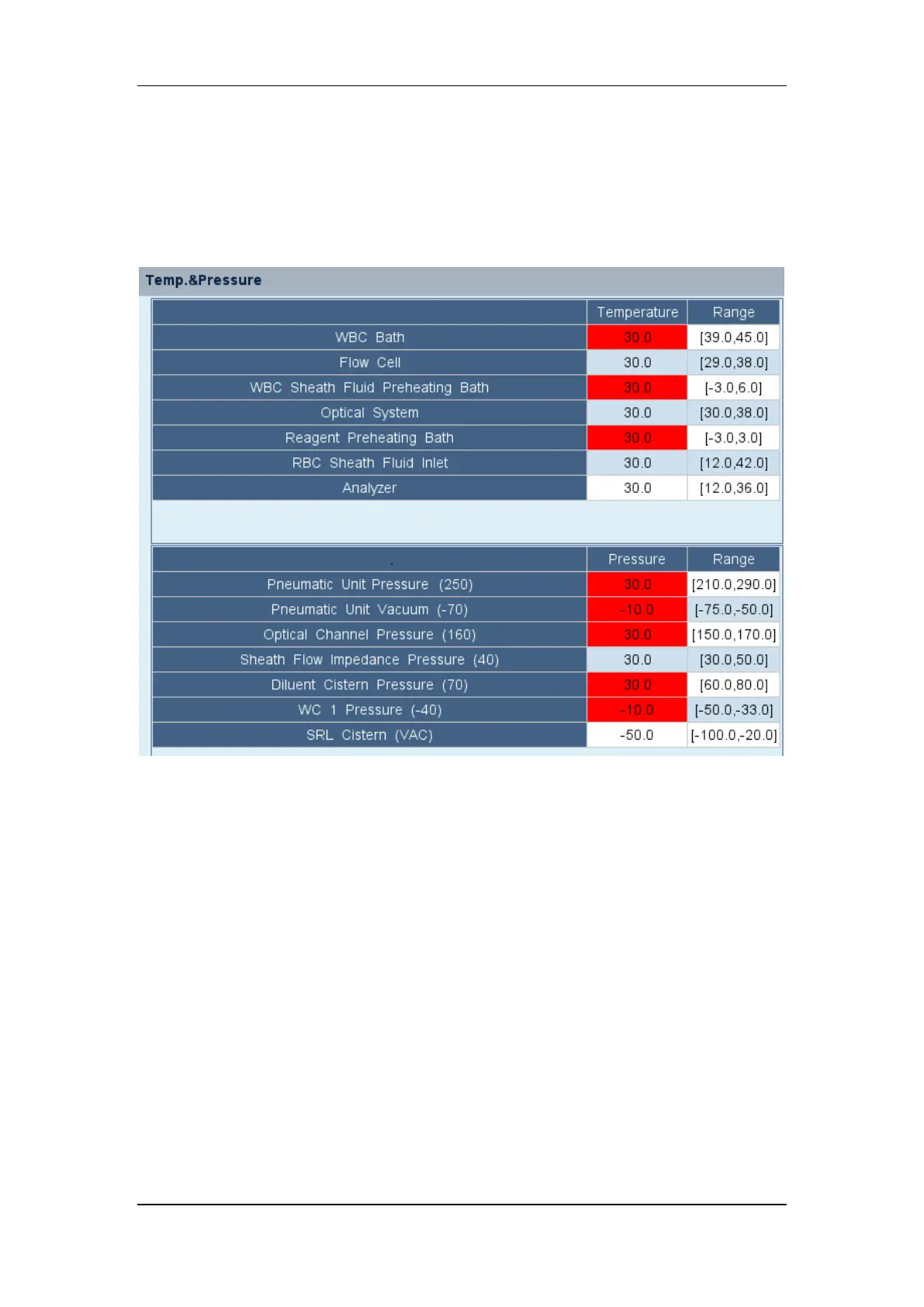
When the SRL module is configured, tap "Menu" > "Status" > "Temp.&Pressure" to go to the
"Temp.&Pressure" screen, where the operator can check the vacuum pressure of "SRL
Cistern (VAC)" And the normal range.


 To Next Page