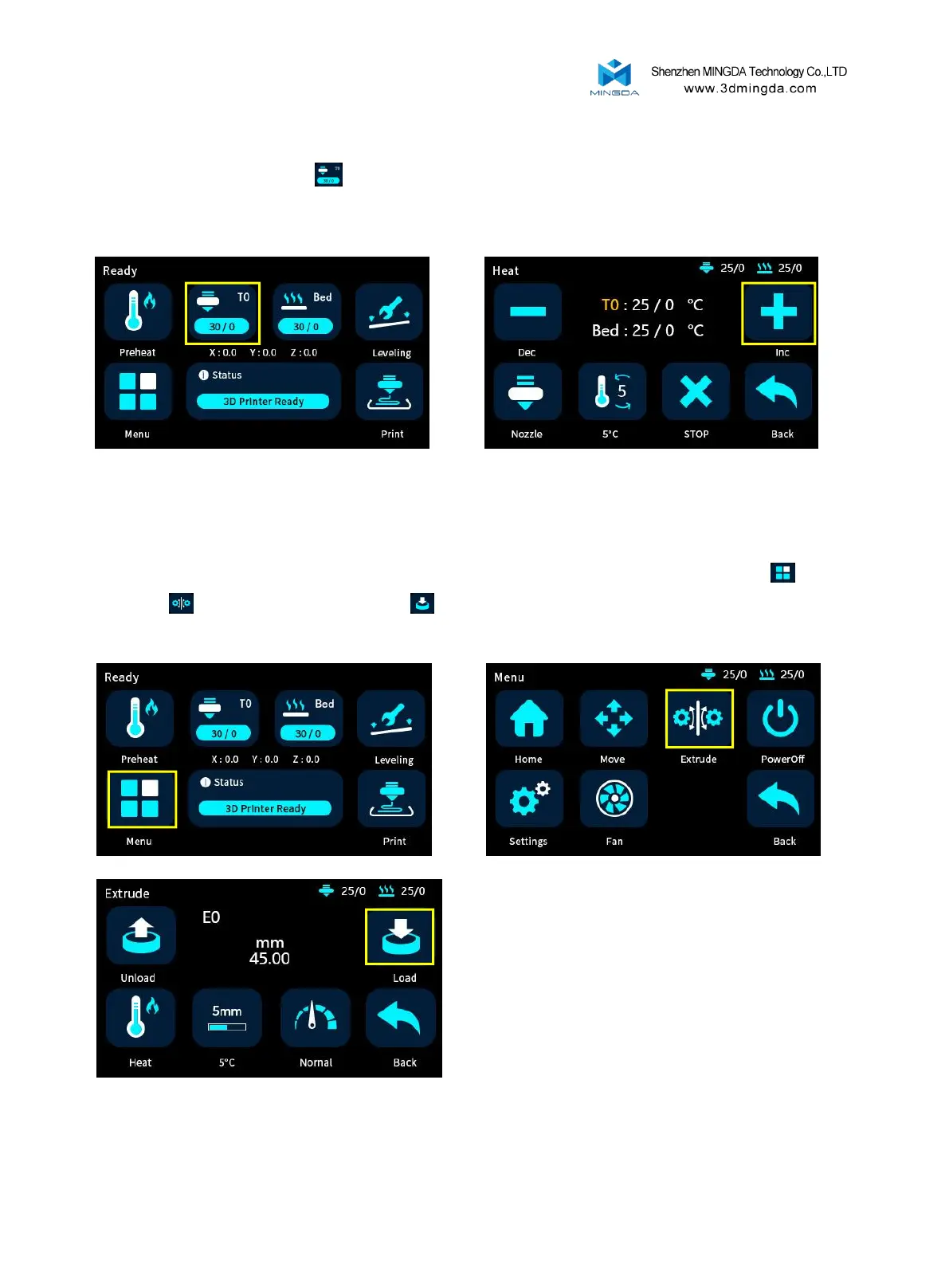
3.Click the heating button , select the nozzle, set the temperature to 200°C , and the nozzle will
automatically heat up to 200°C.
4. When the temperature rises to 200°C, insert the filament into the extruder, click "Menu" ,
"Extrude" , and click the extrude button to feed the filament.
8



 To Next Page