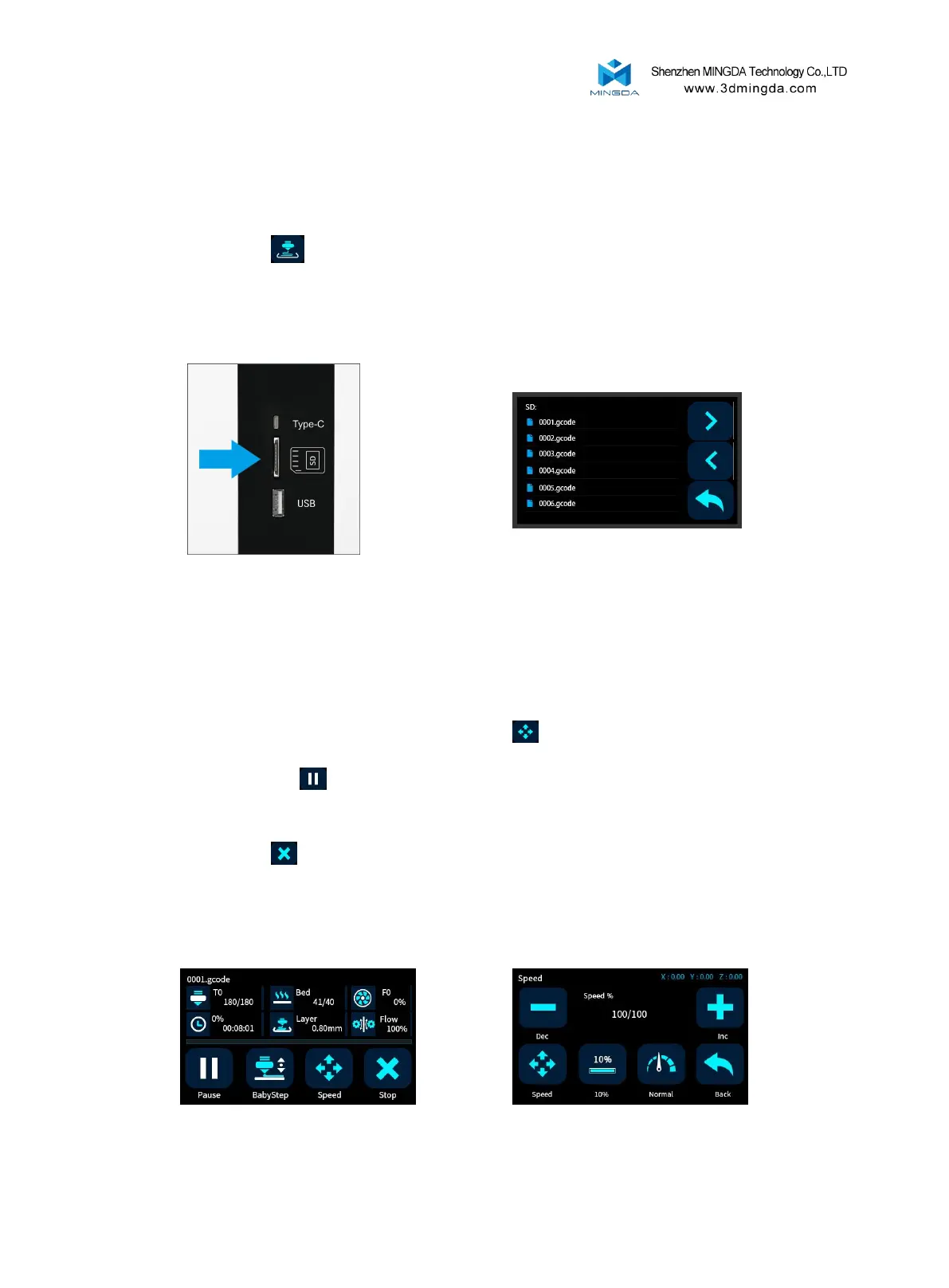
1. Insert the SD card.
2. If not leveled, run the auto-leveling procedure first.
3. Preheat the head and bed, check whether it feed smoothly.
4. Click "Print" icon on the display panel.
5. Choose the Gcode file to print.
6. After the printing is completed, Wait for the platform to cool down, then take out the model gently.
Printing Process
While printing files, you can pause it at any time.
1. When printing, you can click Percentage rate icon to adjust printing speed .And click icon to
change the printing speed by percent.
2. Press the pause icon on the display panel, the mprinter will be suspended to print, press again to
continue.
3. When printer pause, you can feed the filament and change another filament.
4. If press stop icon , the printer will stop printing.
5. The printer will automatically shut down after printing finished.
Pause and Continue to Print
17



 To Next Page