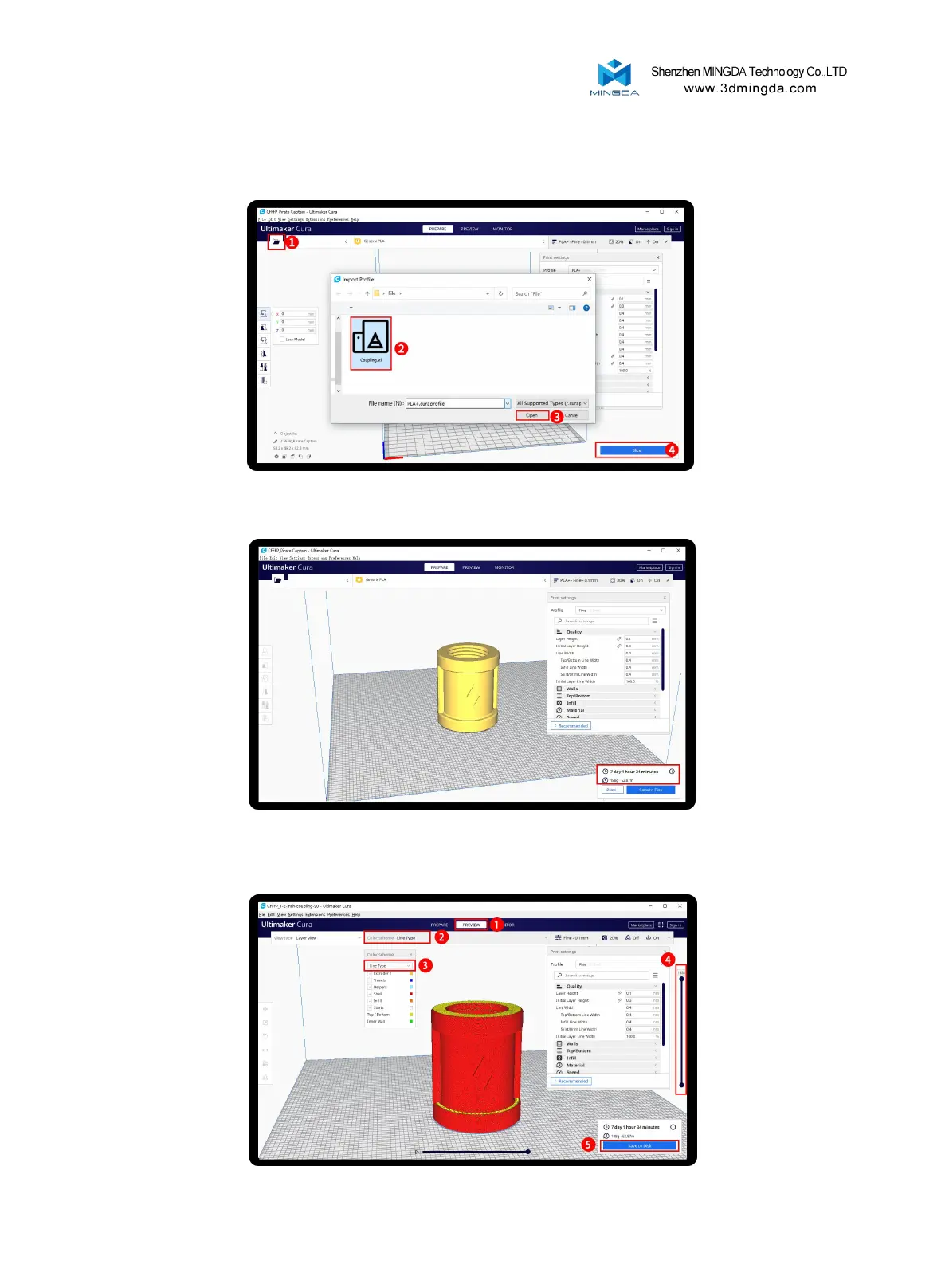
Slicing
After slice completed, you can see the time and weight of filament that the printing will take;
We suggest you click PREVIEW to check, you can choose line Type and Drag the slider on the right
side to see the printing process clearly. After that , you can save it in your SD card to print it out by
the printer.
Click load button you can load a stl file, you can move, rotate, and Zoom the model. Click Slice button.
16



 To Next Page