6. General Maintenance
Daily Preventive Maintenance
500 Hours Maintenance
About every 500 hours you should clean up the printer.
1.Clean the door and do not use ammonia-containing cleaners to avoid damaging the window. An
ethanol cleaner can be used.
2. To clean the guide rails, first wipe the sides of the guide rails with anti-rust paint and re-add
lubricant.
3. Check the screws, check if the mounting screws such as the synchronous wheel, optical axis and
motor are loose. If it is loose, it should be tightened in time.
1. Before printing, reset the Z-axis to check the distance between the nozzle and the platform to prevent
the nozzle from scratching the platform.
2. Before printing, check the smoothness of the guide rails. Regular lubrication can ensure the printer
runs efficiently and stably.
3. Before printing, preheat the nozzle to check feeding. If it is not smooth, clean or replace the print
nozzle assembly.
4. After printing is completed, clean all the accumulated filament and stains on the printing platform, the
guide screw and the inside of the printer.
5. Filament that are not used for a long time should be sealed and stored. Excessive absorption of
moisture from the air can make the filament brittle.
18
Dismantle the Model
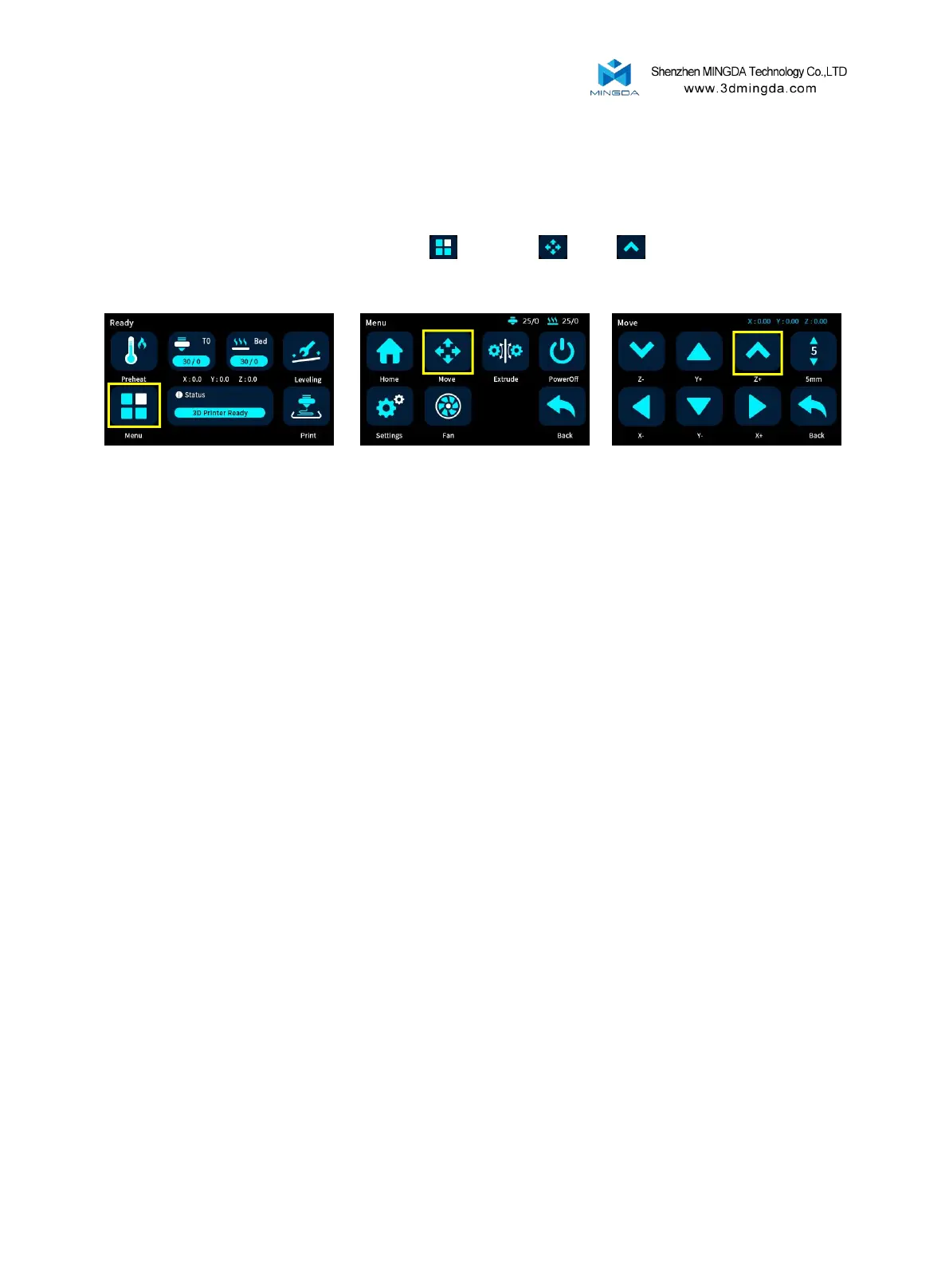
Warm prompt : The MD series 3D printer display is a full touch resistance screen, click to enter the content
item. We recommend to use your fingernails and do not press hard on the screen.
1. Move the print head up: Select "Menu" , "Move" , "Z+" to raise the print head to a
suitable height.
2. Take the model: After the platform has cooled, the model can be removed directly. If it cannot be
removed, the PEI platform can be removed and bent to take the model out.



 To Next Page