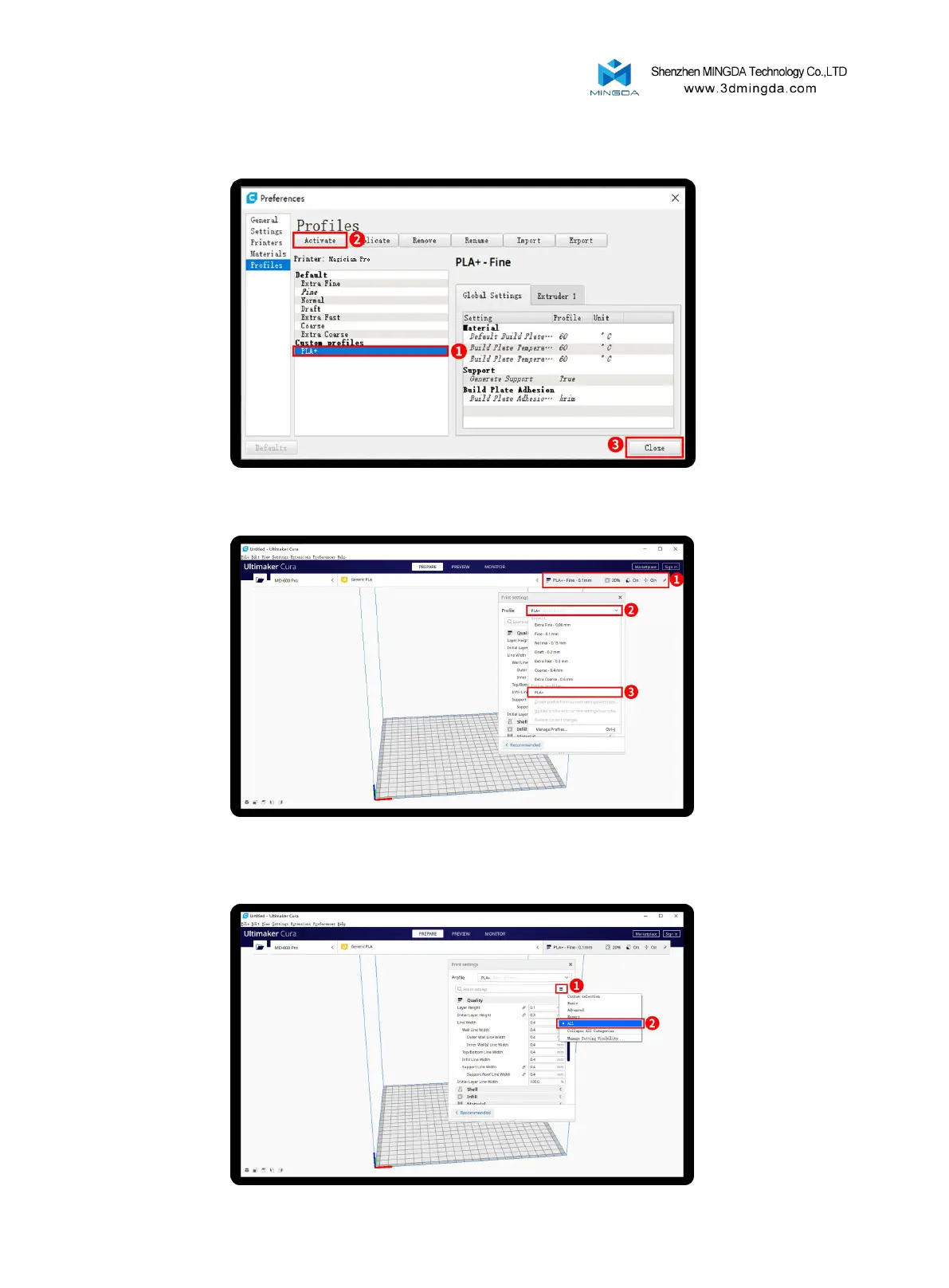
After Import the profile, you will see it below, choose PLA+, and click Activate
On the right side you can see PLA+ active
Click here, you can check all the parameter, when you move mouse on it will show the explanation
to help you under more clearly
15



 To Next Page