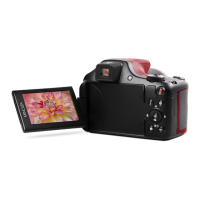
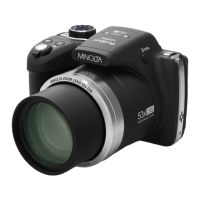
Lens Grip Grip point when holding the camera
Zoom T/W Buttons
AF Mode (normal): T and W buttons for optical
zooming in and zooming out
MF Mode (manual): T and W buttons for precise
focus adjustment
Shutter Button Button to focus and capture a photo
Video Start/Stop Button to enter and start/stop video recording
Display Button Button to enable or display the display monitor
Power On/Off
Button
Button to power the camera on or off
P/S/A/M Photo
Mode Dial
Turn the dial to enter all of the various shooting
modes
Status LED
Solid Green: Power is on and in standby
Blinking Green: Recording Video
Single Blink: Photo Captured
Fast Blink: Flash strobe is recharging
Solid Red: Battery is charging
Playback Button Button to enter Playback mode
AE/AF Lock
Button
Button to lock the current exposure value or focus
distance
Up / Ev Button
Button to move Up when navigating menus
Button to set the Exposure Value adjustment
Right / Flash
Button
Button to move Right when navigating menus
Button to set the Flash mode
OK Button Button to confirm highlighted menu selection
Down / Self-Timer
Button
Button to move Down when navigating menus
Button to set the Self-Timer function
Delete Button Button to delete most recent or highlighted file
Menu Button Button to enter the settings menu
Left / AF/MF
Button
Button to move Left when navigating menus
Button to set Auto, Manual or Macro focusing
Name: Function:


 To Next Page