5.1.2.2 Smartphone App Operation
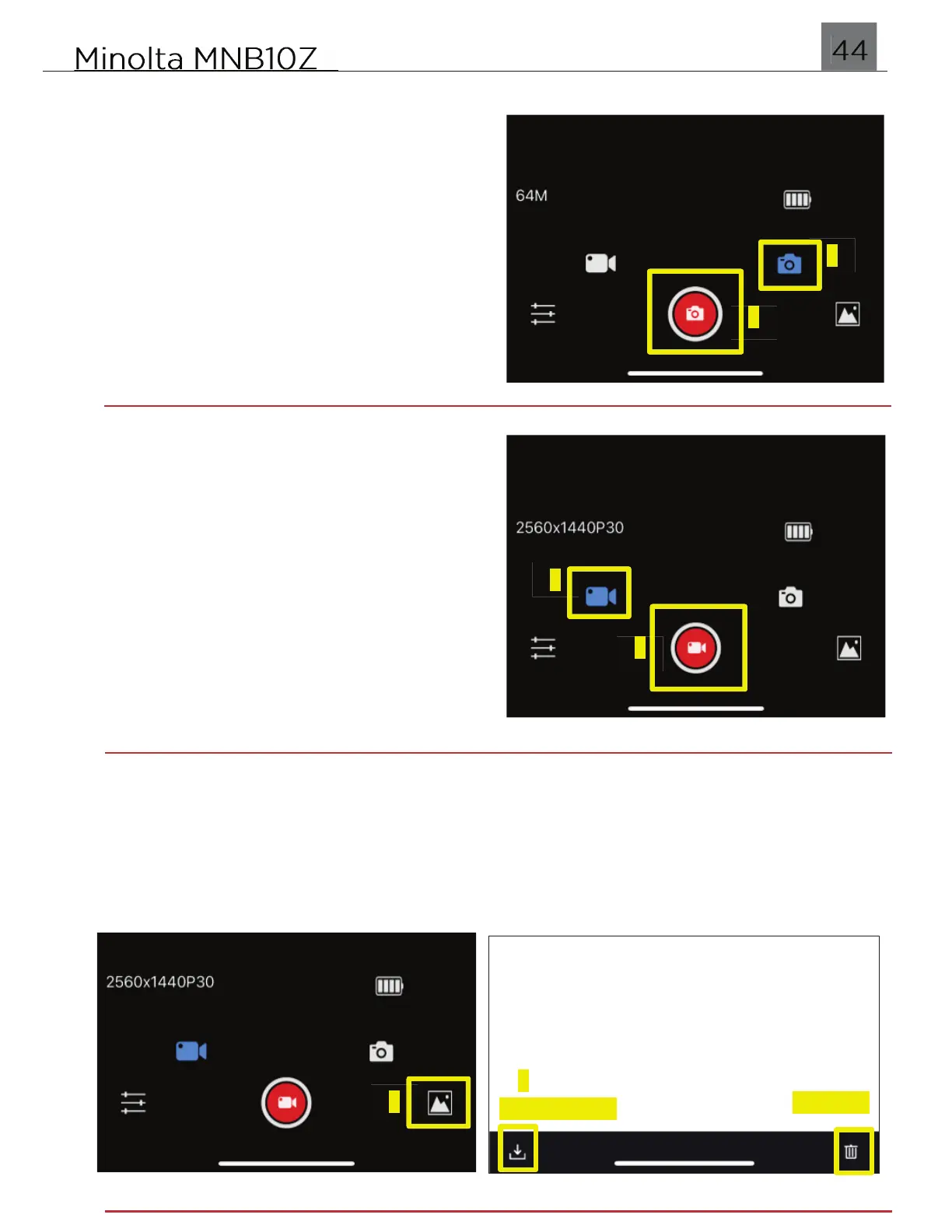
Capture Photo
To capture a photo, make sure you are in
Photo Shooting mode by tapping the
Camera icon. Once in Photo Shooting
mode, tap the red Capture icon and a photo
will capture.
Record Video
To capture a photo, make sure you are in
Video Shooting mode by tapping the Video
icon. Once in Video Shooting mode, tap the
red Capture icon and a photo will capture.
Download Photos & Videos to Smartphone
Tap the Gallery icon to access all photos and videos stored on your camera’s SD
memory card. Once you enter the Gallery, tap on a photo or video file to preview.
Then tap the Download button in the bottom right corner. You may also Delete a file
from this same screen.


 To Next Page